Brother Printers
 WhiteBoard
 IP PBXs





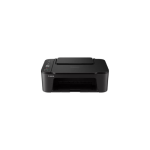
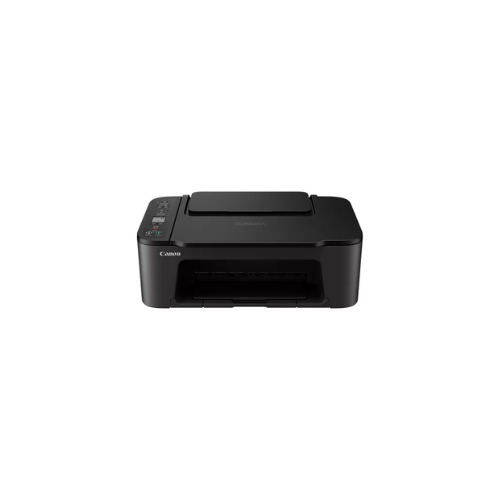

Canon Pixma TS3440 wi-fi AIO Printer
Key Features
Brand: Canon
Functions: Wi-Fi, Print, Copy, Scan, Cloud
Best Print Resolution: Up to 4800 x 1200 dpi
Print Output: 400 pages
Print Speed: 7.7 ipm
1 Year Warranty
Canon Pixma TS3440 Wi Fi All In One Printer Technical Product Information
Core Product Identification
- Manufacturer : Canon
- Series : PIXMA
- Model Number : TS3440
- Device Type : All in One Inkjet Printer
- Core Functions : Wireless Print, Scan, Copy, Cloud Link
Compact Wireless Versatility and Affordable Home Printing
The Canon Pixma TS3440 is an entry-level multi-function inkjet printer meticulously designed for home offices, students, and casual users who require streamlined everyday performance. This sleek all-in-one system combines essential print, scan, and copy functions into a space-saving chassis. Its compact footprint ensures it fits comfortably onto tight desktops, shelving units, or small workstations.
The print engine relies on an efficient twin cartridge system consisting of one dedicated pigment black unit and one multi-color dye unit. This hybrid configuration balances practical running costs with sharp text production and vivid imagery. The pigment black ink creates crisp, smudge-resistant text for essays and official forms, while the dye color inks deliver smooth, rich gradients for web articles, school projects, and borderless photos.
Equipped with built-in Wi-Fi technology, the device simplifies digital document management. Users can trigger print tasks from smartphones, tablets, or laptops across a local wireless network without handling bulky cords. The intuitive hardware control panel features a clear display screen and dedicated shortcut buttons, making it easy to monitor network status and configure copy modes.
Key Technical Specifications
- Print Resolution : Up to 4800 by 1200 dots per inch
- Mono Print Speed : Approximately 7.7 images per minute
- Color Print Speed : Approximately 4.0 images per minute
- Borderless Photo Speed : 10 by 15 centimeter photo in roughly 65 seconds
- Scanner Type : CIS Flatbed Document and Photo Scanner
- Optical Scan Resolution : 600 by 1200 dots per inch
- Wireless Connectivity : Wi Fi IEEE 802.11 b g n, Wireless Direct
- Display Screen : 1.5 Inch Segment Monochrome LCD Panel
- Interface Type : High Speed USB Port
Consumable Ink Compatibility and Yields
This hardware operates utilizing standard or optional high-yield FINE ink cartridges. The drop-in cartridge architecture facilitates simple replacement procedures and features robust integrated printhead nozzles.
Compatible Ink Cartridges
- Canon PG 445 Black Ink Cartridge (Standard Capacity)
- Canon CL 446 Color Ink Cartridge (Standard Capacity)
- Canon PG 445XL Black Ink Cartridge (Optional High Yield)
- Canon CL 446XL Color Ink Cartridge (Optional High Yield)
Standard Document Page Yields
- Standard Black Unit : Prints up to 180 pages per cartridge
- Standard Color Unit : Prints up to 180 pages per cartridge
- High Yield Black XL Unit : Prints up to 400 pages per cartridge
- High Yield Color XL Unit : Prints up to 300 pages per cartridge
Professional Connectivity and Productivity Benefits
Simple Mobile Integration
Built-in wireless technology connects smoothly with modern mobile ecosystems. Operators can initiate print runs, execute scans, and link directly to popular cloud storage networks using the Canon PRINT application, Apple AirPrint, or Mopria for Android.
Clear Segment LCD Display
The integrated 1.5-inch segment monochrome LCD panel offers instant status visibility. It allows operators to check wireless signal strength, verify selected paper sizes, and troubleshoot basic maintenance prompts without opening computer software.
Flexible Media Feeding
A reliable rear paper tray handles up to 60 sheets of standard plain copy paper. The feeding mechanism accommodates diverse media types, including premium glossy photo paper, envelopes, and custom cardstock sizes.
Smart Energy Efficiency
The printer includes an intelligent Auto Power On and Off function. The machine remains in a low-energy sleep state until a wireless print command arrives, powering up automatically to execute the job and saving on household utility usage.
Step by Step Wireless Setup Guide
Connecting via Mobile Direct
- Download the free Canon PRINT application onto a compatible mobile smartphone or tablet.
- Turn on the printer hardware and locate the dedicated physical network configuration link button.
- Press and hold the link button until the wireless indicator icon blinks on the 1.5-inch screen.
- Open the mobile application and choose the option to scan for available network printing devices.
- Select the detected printer name and type in the local Wi-Fi security password to complete the link.
Frequently Asked Questions
Can this printer handle borderless photo prints
Yes, the internal software engine supports automated borderless printing for popular photo dimensions, including standard 10 by 15 centimeter, 13 by 13 centimeter, and 13 by 18 centimeter layouts.
Does this model support automatic double sided duplex printing
No, the TS3440 utilizes manual duplex guidance. The printing software program manages the document order and delivers on-screen prompts explaining exactly how to flip and reload the sheets to complete double-sided files.
Is a wireless network mandatory to use this machine
No, the device has a physical high-speed USB port built into the rear panel for a stable, direct cable connection to a single computer. It also features a Wireless Direct mode to connect smartphones directly to the printer without a local home router.