Brother Printers
 WhiteBoard
 IP PBXs





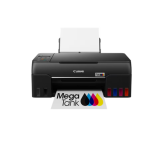
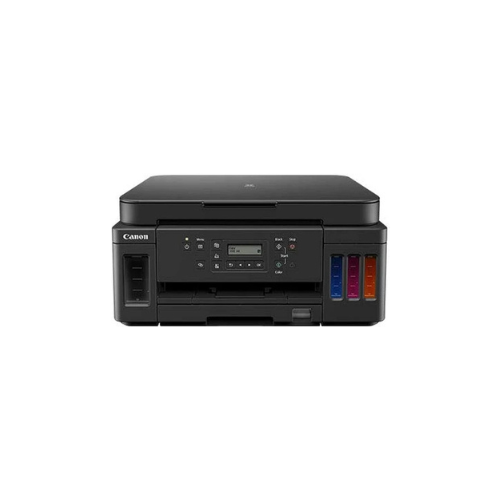

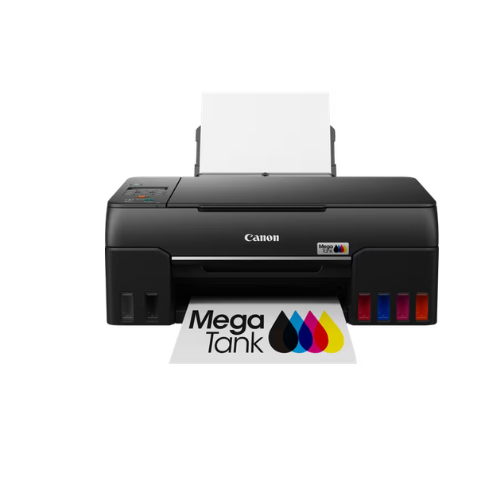
Canon Pixma G6040 wi-fi AIO Printer
Key Features
Brand: Canon
Print Speed: Mono (Approx 13.0 ipm); Colour (Approx 6.8 ipm)
Duplex: Yes
Print Resolution: 4800 × 1200 dpi
Wi-Fi: Yes
Scanner-Resolution: 1200 × 2400 dpi
Supported OS: Chrome and macOS
Scanner type: Flatbed CIS
1 Year Warranty
Canon Pixma G6040 Wi Fi All In One Printer Technical Product Information
Core Product Identification
-
- Manufacturer: Canon
- Series: PIXMA Megatank
- Model Number: G6040
- Device Type: All in One Refillable Ink Tank Printer
- Core Functions: Wireless Print, Scan, Copy, Cloud Link, Auto Duplex
High Volume Business Production and Automatic Duplex Efficiency
The Canon Pixma G6040 is a high performance refillable Megatank printer engineered to deliver exceptional productivity for busy home offices, fast paced small businesses, and workgroups. This multi function system replaces traditional ink cartridges with massive high capacity integrated fluid reservoirs. The front facing layout allows operators to monitor ink levels visually while driving operational costs per page down to absolute minimums.
The hardware features an automatic double sided printing engine that optimizes paper conservation. Users can execute double sided print jobs seamlessly without manual page intervention. The print architecture utilizes an advanced hybrid ink formulation, combining a high yield pigment black ink for laser sharp text and dye based color inks for rich accurate graphics and vibrant borderless photos up to standard A4 dimension
Outfitted with flexible connectivity, the device bridges the gap between hardware and modern network setups. It includes both built in Wi Fi and a dedicated Ethernet port for secure wired networking. A large 350 sheet plain paper capacity split between a front cassette and rear tray ensures long uninterrupted print runs, while integrated ink bottles deliver mess free reservoir replenishment
Key Technical Specifications
-
- Print Resolution: Up to 4800 by 1200 dots per inch
- Mono Print Speed: Approximately 13.0 images per minute
- Color Print Speed: Approximately 6.8 images per minute
- Automatic Duplex Printing: Fully automated double sided printing
- Total Paper Capacity: Up to 350 sheets of plain paper
- Scanner Type: CIS Flatbed Document and Photo Scanner
- Optical Scan Resolution: 1200 by 2400 dots per inch
- Connectivity: Wi Fi, Ethernet LAN, High Speed USB Port, Wireless Direct
- Display Screen: Two Line Full Dot Monochrome LCD Panel
Consumable Ink Compatibility and Yields
This printer utilizes ultra high capacity Canon GI 40 series ink bottles. The bottles feature specialized squeeze mechanics and custom nozzles to ensure clean spill free replenishment of the internal reservoirs.
Genuine Ink Bottles
-
- Canon GI 40 Black Ink Bottle
- Canon GI 40 Cyan Ink Bottle
- Canon GI 40 Magenta Ink Bottle
- Canon GI 40 Yellow Ink Bottle
Standard Document Page Yields
-
- Black Ink Reservoir: Prints up to 6000 pages from a single bottle
- Color Ink Reservoirs: Prints up to 7700 pages from a full combined set of color bottles
- Economy Mode Function: Boosts the black page yield output up to 8300 total pages
Professional Productivity and Design Benefits
Automatic Double Sided Printing
The auto duplex engine handles double sided documentation automatically. This eliminates manual flipping errors, speeds up document production, and halves paper usage in a busy office setting.
Dual Paper Feeding System
The hardware holds up to 350 sheets of plain paper simultaneously. A 250 sheet front loading cassette handles high volume everyday printing, while a 100 sheet rear tray accommodates specialized media, photo paper, and envelopes.
Expanded Wired and Wireless Connectivity
Integrated Ethernet allows for reliable corporate network integration. Wireless options facilitate instantaneous printing through the official Canon PRINT app, Apple AirPrint, Mopria for Android, and primary cloud networks.
User Friendly Maintenance Interface
The full dot two line LCD screen offers sharp text legibility for navigating configuration options. The front facing integrated ink tanks make it simple to monitor fluid levels at a single glance.
Step by Step Wireless Setup Guide
Connecting via Canon PRINT App
-
- Download the official Canon PRINT application onto a compatible mobile device
- Power on the printer and tap the dedicated physical network pairing button
- Confirm that the wireless transmission icon appears active on the two line LCD panel
- Open the mobile application and launch the search for available hardware devices
- Select the detected printer and input the local network security password to finalize
Frequently Asked Questions
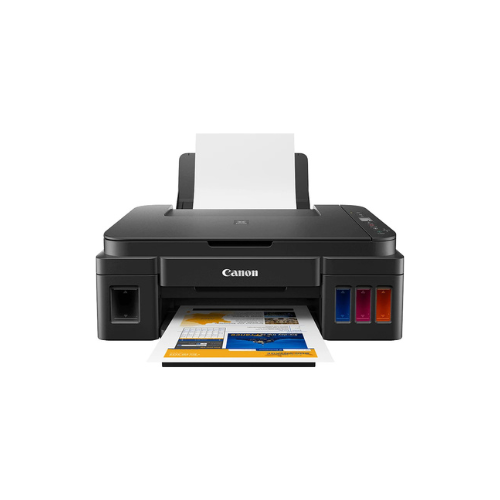
What makes the G6040 different from the G3420 or G3470 models
The G6040 offers faster print speeds, a much larger 350 sheet dual paper capacity, an internal Ethernet port, and fully automated double sided duplex printing, which smaller models lack
Can this printer handle unique printing media styles
Yes, the heavy duty rear paper tray easily accommodates magnetic photo sheets, glossy photo paper, iron on fabric transfers, envelopes, cardstock, and professional matte presentation paper up to 265 grams per square meter.
Are the internal printheads user replaceable
Yes, the device uses modular FINE printheads that can be easily swapped out by the operator if physical wear occurs over years of heavy volume operation.