Brother Printers
 WhiteBoard
 IP PBXs





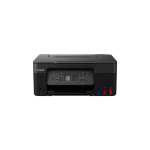
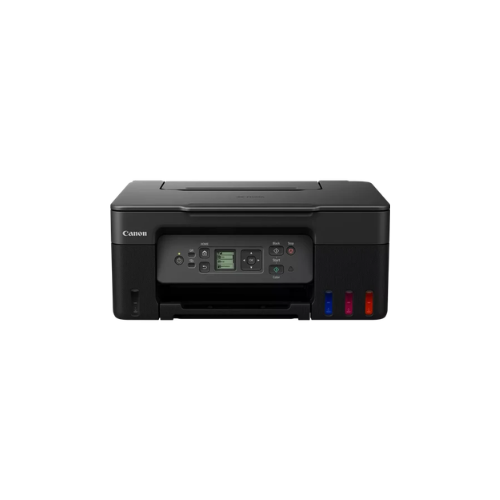

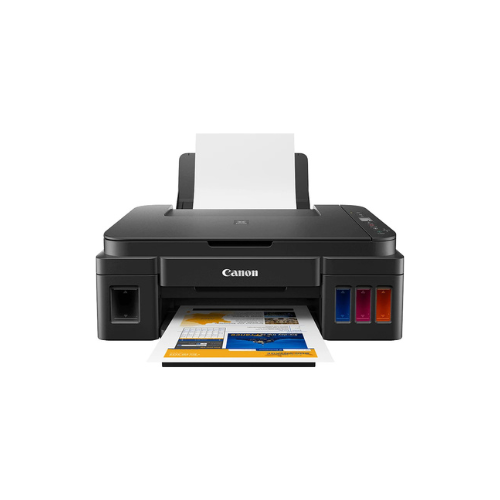
Canon PIXMA G4470 wi-fi AIO Printer
Key Features
Brand: Canon
Print, Copy, Scan & Fax
Manual Double-Sided Printing
Ink tank system
Print speed: 11 / 6 ipm
USB & Wi-Fi connectivity
Dimensions: 416 x 337 x 212 mm
Duplex printing mode: Manual
Print technology: Inkjet
Printing: Colour printing
1 Year Warranty
Canon PIXMA G4470 Wi Fi All In One Printer Technical Product Information
Core Product Identification
-
- Manufacturer: Canon
- Series: PIXMA Megatank
- Model Number: G4470
- Device Type: All in One Refillable Ink Tank Printer with ADF
- Core Functions: Wireless Print, Scan, Copy, Fax, Cloud Link, Automatic Document Feeder
High Volume Smart Printing and Complete Office Automation
The Canon PIXMA G4470 is an advanced refillable Megatank printer engineered to bring comprehensive business functionality to home offices, corporate environments, and active small businesses. This multi function system replaces traditional ink cartridges with high capacity integrated fluid reservoirs. The front facing layout allows operators to monitor ink volumes instantly while driving down total running costs to an absolute minimum.
The hardware features a built-in 35 sheet Automatic Document Feeder that automates complex office tasks. Users can scan, copy, or fax multi page documents sequentially without manual intervention. The print engine deploys an optimized hybrid ink formulation to produce exceptional quality across diverse media types, utilizing a dedicated pigment black ink for laser-sharp text and dye-based color inks for vibrant borderless photos.
Equipped with modern wireless technology, the device bridges the gap between hardware and cloud workflows. Operators can execute secure print jobs from smartphones, laptops, and tablets across a local network without desktop cable clutter. The specialized ink bottles use physical mechanical keys for each individual color, completely eliminating the risk of ink cross-contamination during replenishment.
Key Technical Specifications
-
- Print Resolution: Up to 4800 by 1200 dots per inch
- Mono Print Speed: Approximately 11.0 images per minute
- Color Print Speed: Approximately 6.0 images per minute
- Automatic Document Feeder: Up to 35 standard sheets
- Scanner Type: Flatbed and ADF CIS Color Scanner
- Optical Scan Resolution: 600 by 1200 dots per inch
- Fax Type: Super G3 Color Desktop Fax
- Wireless Connectivity: Wi Fi IEEE 802.11 b g n, Wireless Direct
- Display Screen: 1.35 Inch Square Monochrome LCD Panel
- Interface Type: High Speed USB Port
Consumable Ink Compatibility and Yields
This printer utilizes high yield Canon GI 41 series ink bottles. The physical engineering incorporates a zero squeeze gravity-fed design and unique keyed nozzles to ensure effortless, clean reservoir top-offs.
Genuine Ink Bottles
-
- Canon GI 41 Black Ink Bottle
- Canon GI 41 Cyan Ink Bottle
- Canon GI 41 Magenta Ink Bottle
- Canon GI 41 Yellow Ink Bottle
Standard Document Page Yields
-
- Black Ink Reservoir: Prints up to 6000 pages from a single standard bottle
- Color Ink Reservoirs: Prints up to 7700 pages from a full combined set of color bottles
- Economy Mode Function: Boosts the black page yield output up to 7600 total pages
Professional Productivity and Design Benefits
Automatic Document Feeder Workflow
The 35 sheet ADF significantly boosts office productivity. It streamlines multi page scanning, copying, and fax operations, saving time compared to opening a flatbed scanner lid for each single page.
Keyed Gravity Ink Replenishment
The mechanical slots on the GI 41 bottles prevent filling errors. Ink flows automatically when docked onto the matching color gateway and stops instantly when the reservoir reaches full capacity.
Expanded Mobile Ecosystem
Integrated smart connectivity facilitates instantaneous printing through the official Canon PRINT app, Apple AirPrint, and Mopria for Android. Users can effortlessly print documents directly from primary cloud networks via their mobile interfaces.
User Replaceable Maintenance Cartridge
The device is engineered with a user-replaceable maintenance box that catches excess waste ink. Operators can purchase and swap this part independently in seconds, avoiding factory service wait times and extending product lifespan.
Step by Step Wireless Setup Guide
Connecting via Mobile Direct
-
- Download the official Canon PRINT application onto a compatible mobile device
- Power on the printer and touch the dedicated physical network configuration button
- Confirm that the wireless transmission icon appears active on the square LCD panel
- Open the mobile application and launch the search for available hardware devices
- Select the detected printer and input the local network security password to finalize
Frequently Asked Questions
What makes the G4470 different from the G3470 model
The G4470 adds full business automation by including a 35 sheet Automatic Document Feeder and professional Super G3 fax capabilities, while the G3470 is strictly a flatbed print, scan, and copy machine.
Can this printer handle unique printing media styles
Yes, the heavy duty rear paper tray easily accommodates magnetic photo sheets, glossy photo paper, iron-on fabric transfers, cardstock, envelopes, and professional matte presentation paper up to 265 grams per square meter.
Is double sided document printing fully automated
The machine utilizes manual duplex assistance for printing, guiding the operator via on-screen prompts showing how to flip and reload the sheets to complete double-sided layouts.