Brother Printers
 WhiteBoard
 IP PBXs





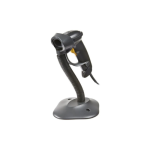
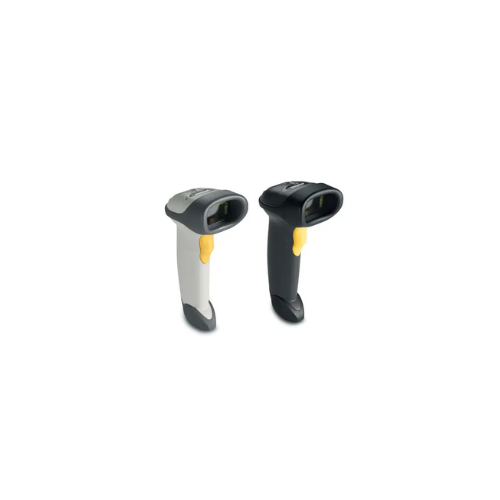
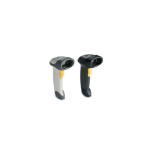

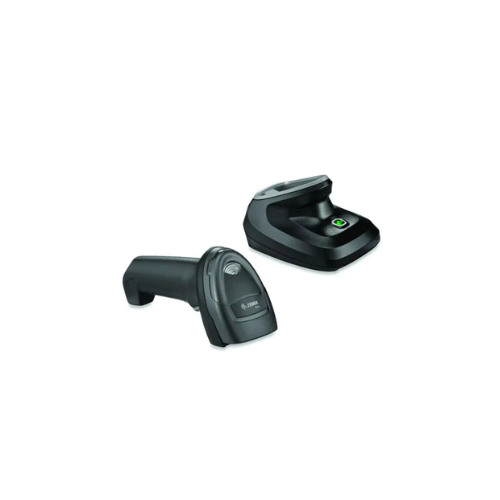
ZEBRA Symbol LS2208 Barcode Scanner
Key Features
Brand: ZEBRA
Provides fast, reliable scanning, making it ideal for retail, hospital, education or government settings
Bi-directional scanner type
Fast performance at 100 scans per second
Accurate first-time capture of 1D bar codes
Advanced Data Formatting (ADF) enables users to modify data prior to sending to host computer
1 Year Warranty
Ultimate Guide to Zebra Symbol LS2208 1D Handheld Laser Barcode Scanner
The Zebra Symbol LS2208 is a durable, high-performance 1D linear laser scanner built for retail checkouts, stockrooms, and asset tracking. It features a lightweight, ergonomic design that minimizes hand fatigue over long shifts while delivering rapid barcode verification. It provides a reliable, low-maintenance hardware solution that maximizes daily checkout speeds and eliminates workplace system downtime.
Key Features and Specifications
This commercial-grade scanner pairs long-range parsing with a patented single-board design.
- 1D Linear Laser Core : Reads all traditional one-dimensional barcodes including UPC, EAN, Code 39, and Code 128.
- Extended Reading Range : Captures standard 13 mil UPC retail labels from near-contact out to 17 inches away.
- High-Velocity Scanning : Employs an agile bi-directional laser pattern delivering up to 100 scans per second.
- Single-Board Construction : Minimizes common hardware failure points by removing fragile internal ribbon cables.
- Liquid Polymer Element : Includes built-in friction-free shock protection to safeguard the active laser mechanics.
- Tempered Glass Window : Resists deep scratches to preserve clear optic vision over years of heavy counter sliding.
- Advanced Data Formatting : Modifies configuration rules inside the unit before sending text to your host software.
Laser Performance and Operational Efficiency
The Zebra LS2208 overcomes checkout bottlenecks by utilizing a crisp, visible bi-directional laser line . Unlike budget imaging tools that fail under harsh store lighting, this device parses faded, high-density, or crinkled labels quickly on the first pull of the trigger.
The scanner ships with a matching Gooseneck Intellistand accessory . Slipping the scanner handle into the cradle triggers an internal sensor switch that instantly toggles the unit from manual trigger pulls to automatic hands-free presentation scanning . This layout allows your staff to glide items past the laser window quickly using both hands.
Simple Plug-and-Play USB Setup Steps
Deploying your linear scanner into a standard point-of-sale register or computer desk takes only a few quick moments.
Physical Cable Installation
- Unpack the hardware kit and locate the standard 7-foot heavy-duty shielded USB data line.
- Insert the modular RJ45 terminal plug into the socket recess at the base of the scanner handle until it clicks.
- Plug the opposite standard USB type-A connector directly into an open port on your computer tower or cash dock.
- Listen for the triple startup tone sequence (low, medium, high beeps) signaling the device is fully energized.
Setting the Host Interface
- Open any text editing application (like Notepad, Word, or a blank web form spreadsheet) on your workstation screen.
- Locate the official programming reference guide sheet packed inside your retail product box.
- Scan the “Set Factory Defaults” programming barcode found in the booklet to normalize all internal logic.
- Pull the trigger to test scan a product label ; out of the box, the unit defaults to USB HID Keyboard Emulation mode .
Programming an Automatic Enter Key (Suffix)
To prevent your checkout clerks from manually tapping the “Enter” key on the keyboard after every single scan, execute this programming sequence using your setup barcode sheet:
This sequence instructs the internal firmware to append a carriage return suffix instantly. This automatically drops your blinking cursor down to the next text row after each barcode read, speeding up high-volume inventories.
Frequently Asked Questions
Can the Zebra LS2208 read QR codes or smartphone screens?
No, this model is a traditional 1D linear laser scanner built exclusively for physical printed paper or plastic labels. Because it relies on physical light reflection, its laser cannot parse 2D matrix configurations like QR codes, nor can it bounce signals off reflective LED phone displays. If your workspace requires mobile screen scanning, look into the upgraded Zebra DS2208 2D Imager .
What operating systems are natively compatible with this scanner?
The device features deep cross-platform compatibility, functioning natively with Windows 11, Windows 10, macOS, Linux, and Unix operating networks. It interacts with your computer exactly like a standard physical keyboard accessory, meaning it requires zero special background drivers or third-party client software to transmit data lines.
How durable is the scanner shell against accidental counter drops?
The structural shell features a rugged IP30 environmental enclosure rated to withstand repeated drops onto solid concrete from heights of up to 5 feet (1.5 meters). The internal electronic components are shock-isolated away from the plastic frame, allowing the tool to survive harsh warehouse handling or busy store counters.
Can I build custom data prefixes and suffixes over a computer screen?
Yes, you can download the free Zebra 123Scan Utility application onto any desktop computer. Connecting your scanner via USB lets you build custom configuration profile files, add specific letters or symbols as prefixes/suffixes, block specific barcode formats, and push rapid firmwire updates.