Brother Printers
 WhiteBoard
 IP PBXs





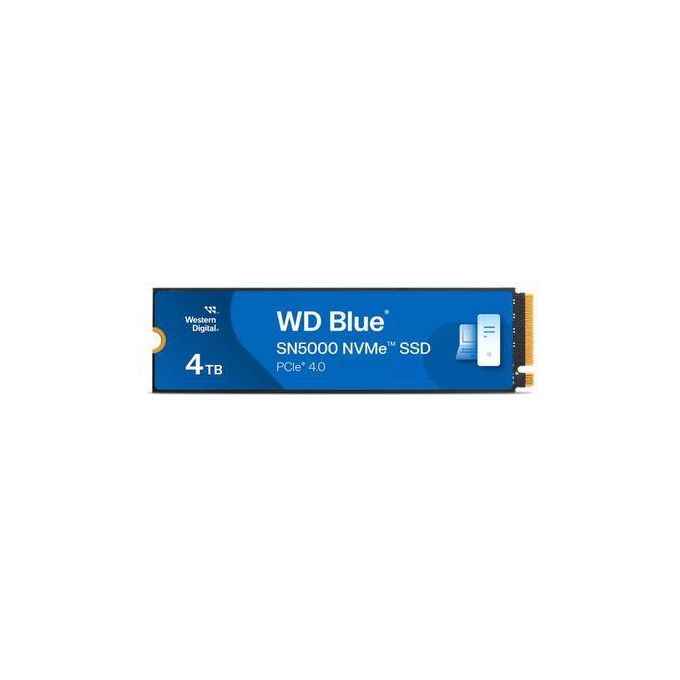
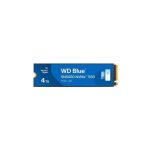

WD Blue 4TB SN5000 NVMe SSD Gen4 PCIe M.2 2280 Up to 5500MB/s
Key Features
Brand: WD
4TB capacity for datasets, media, and projects
Up to 5500 MB/s sequential read speed
Up to 5000 MB/s sequential write speed
PCIe Gen4 x4 NVMe in single-sided M.2 2280
1200 TBW endurance with nCache 4.0 technology
1 Year Warranty
WD Blue SN5000 4TB NVMe SSD Gen4 PCIe M.2 2280: Ultimate High-Capacity Professional Guide
The WD Blue SN5000 4TB NVMe SSD (WDS400T3B0E) is a powerhouse in the professional high-capacity storage, content creation, and mainstream system optimization market. This high-efficiency solid-state drive eliminates tight data storage constraints while delivering crisp, clean Gen4 file transfer speeds for modern content creation rigs, heavy office workstations, and high-tier multimedia systems. It serves as a reliable, heavy-duty solution designed to streamline massive asset libraries, extensive raw footage caches, and intensive multi-application loading cycles for systems of all sizes. By utilizing advanced Western Digital vertical NAND engineering and an agile, DRAM-less thermal design, this flexible machine helps users boost daily processing productivity, slash application launching downtime, and maintain a highly reliable storage workspace.
Content creators, heavy software developers, and IT managers rely on this hardware to eliminate data access latencies and automate high-volume read/write processes without performance drops. Its robust solid-state build quality ensures it handles intense computing cycles without overheating or experiencing mechanical failure rates common with traditional hard drives. Power users looking to scale their computing or virtual caching infrastructure find this 4TB device to be an indispensable asset for daily computing production.
This comprehensive guide covers everything you need to optimize this high-capacity storage device for your business workflow.
Key Technical Specifications
Understanding your hardware capabilities helps you maximize your storage investment. The drive balances massive 4TB structural scale with optimized Gen4 data pipelines.
- Model Registry : Officially cataloged under the Western Digital retail serial identifier WDS400T3B0E (WD Blue SN5000 Series)
- Form Factor : Standardized M.2 2280 architecture footprint measuring 22mm x 80mm.
- Interface Link : High-speed PCIe Gen 4.0 x4 lanes utilizing the optimized NVMe protocol.
- Storage Capacity : Massive 4TB layout optimized for large-scale media caching, local archives, and system boot rooms.
- Read Velocities : Sequential read tracking speeds reaching up to 5,500 MB/s .
- Write Velocities : Sequential data writing mechanics processing up to 5,000 MB/ps
- NAND Architecture : Western Digital premium high-density nX NAND flash technology (utilizing optimized QLC architecture for the 4TB variant).
- Endurance & Reliability : Rated at a heavy-duty 1,200 TBW (Total Bytes Written) backed by an extensive 1,750,000-hour MTBF tracking standard.
Top Features and Business Benefits
Massive 4TB Storage Consolidation
The advanced high-capacity cellular configuration means you never experience the system fragmentation common with multi-drive setups. It consolidates entire 4K video project timelines, high-resolution rendering files, and expansive development environments onto a single physical card, keeping your workflow centralized and clean.
Blazing-Fast PCIe Gen 4×4 Throughput
The built-in four-lane PCIe 4.0 bus connection allows the drive to transfer massive quantities of parallel instructions simultaneously. You can maximize your multi-window multitasking workloads comfortably without being tethered to unmanaged bus restrictions or experiencing performance stalls.
Premium Western Digital nX Thermal Efficiency
The built-in power management sub-routines optimize operational voltage scales directly within the drive firmware. Because its DRAM-less high-performance architecture generates significantly less heat dissipation, it minimizes thermal throttling and preserves battery lifecycles inside slim, performance-focused laptops.
Western Digital SSD Dashboard Management
Using specific software management firmware, the drive interfaces natively with a premium downloadable system utility panel. This is ideal for highlighting critical corporate data protection, checking exact wear-life percentages, running automated diagnostics, and executing secure block erase commands.
Simple Step-by-Step Setup Guide
Follow these steps to get your internal M.2 NVMe solid-state drive installed and configured quickly.
Step 1: Unpack and Prepare the Chassis
Turn off your computer terminal completely, disconnect the main AC electrical line, and remove your system side chassis or laptop bottom panel access lid safely.
Step 2: Slot the Drive Into the Motherboard M.2 Channel
Locate the primary M.2 PCIe Gen 4 slot on the computer board circuit deck. Insert the gold contact finger pins of the WD Blue SSD at a slight 30-degree angle directly into the terminal housing until it seats firmly.
Step 3: Fasten the Structural Retention Screw
Gently press the rear edge of the drive card down flat against the onboard standoff anchor. Use a precise screwdriver to lock the structural mounting screw firmly into place to prevent any accidental physical displacement during transport.