Brother Printers
 WhiteBoard
 IP PBXs





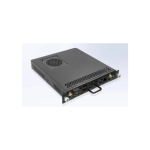
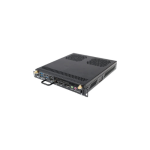
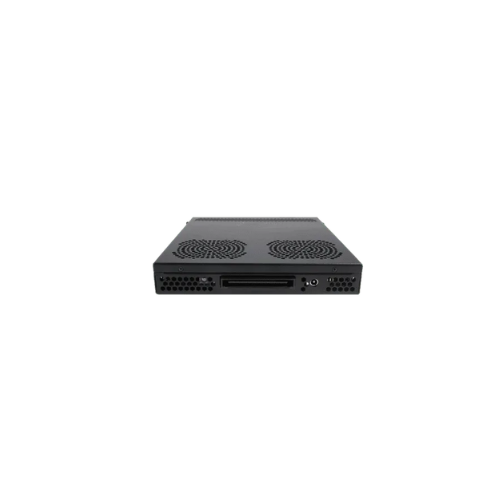

Huawei OPS PC Core i7 – High-Performance OPS Module for Huawei IdeaHub
Key Features
Brand: Huawei
Intel Core i7-10700 processor
16GB DDR4 (8GBx2) RAM
512GB M.2 2280 SSD storage
Intel UHD Graphics 630
Windows 10 IoT
1 Year Warranty
Ultimate Guide to Huawei OPS PC Core i7 Module for IdeaHub
The Huawei OPS PC Core i7 Module is an enterprise-grade, high-performance Open Pluggable Specification (OPS) computing card engineered to transform Huawei IdeaHub smart boards into complete Windows-based conference ecosystems. Slipping directly into the IdeaHub internal expansion slot, this modular hardware bypasses messy external wire webs entirely. It provides a heavy-duty, low-latency computing backbone designed to run intensive local business software, advanced multi-tenant virtualization, and dual-system interactive whiteboard tasks seamlessly.
Key Features and Specifications
This server-class industrial plugin module combines high-velocity chip tracking with seamless hardware screen interfaces.
- Intel Core i7 Processor : Employs heavy multi-threaded processing architectures to handle dense calculations and data-heavy applications.
- Dual-OS Integration : Bridges Android and Windows environments instantly, allowing users to toggle between interfaces with a single tap.
- Ultra-HD 4K Graphics Engine : Uses high-performance internal graphics to drive crisp text layouts and fluid 4K presentation streams.
- Massive Solid-State Memory : Outfitted with enterprise-grade RAM and lightning-fast NVMe storage to eliminate system lag.
- Open Pluggable Specification Standard : Utilizes an industry-standard 80-pin JAE slot interface for safe mechanical installation and long-term hot-swapping.
- Comprehensive Expansion Array : Houses native USB 3.0 ports, HDMI inputs, a full Gigabit Ethernet jack, and physical audio out slots.
- Windows Enterprise Optimized : Pre-configured to support enterprise domain joining, security group grouping, and custom firewall layouts.
Enterprise Virtualization and Dual-OS Efficiency
The Huawei Core i7 OPS module solves the problem of software restrictions and presentation limitations encountered on standalone mobile smart screens. Standard conference boards run exclusively on basic Android platforms, which block native corporate software blocks like full-feature Microsoft Office apps, internal enterprise security clients, and advanced CAD design viewers.
This card expands your workspace into a unified, concurrent dual-operating system platform . With the OPS inserted, your IdeaHub continues to use its fast Android system for quick whiteboard sketches and instant screen sharing. Simultaneously, a simple touch on the edge tray switches the panel to a full Windows desktop. This configuration enables your team to launch complex data compilation models, navigate wide spreadsheets, and initiate secure corporate video conferences using native PC architecture.
Seamless Hardware Integration and Workspace Cleanliness
The physical hardware architecture focuses on eliminating external clutter and enhancing small room neatness.
- Zero-Cable Interface : Draws all operating power, screen touch tracking lines, audio signals, and camera data streams directly through the JAE slot interface, removing the need for external power cords or video wires.
- Independent Thermal Ventilation : Houses a high-reliability, low-noise internal cooling fan that vents heat out of the module’s edge gills, maintaining stable performance during long all-day strategy meetings.
Step-by-Step Initial Hardware Slide and Setup Guide
Installing and initializing your high-performance computing card requires only a few quick mechanical moments.
Physical Installation
- Turn off the main power switch on the base of your Huawei IdeaHub and unplug the power cord from the wall outlet.
- Locate the vertical OPS slot track on the left or rear side panel casing of the IdeaHub chassis.
- Remove the protective metal slot plate by unscrewing the thumb screws counter-clockwise by hand.
- Align the OPS card edges with the internal tracks , sliding the module smoothly inward until the front panel sits flush against the chassis lip.
- Push the physical ejector handles down flat to seat the 80-pin JAE connector completely into the motherboard block, then secure the retention screws clockwise.
System Software Activation
- Plug in and power on your IdeaHub screen , allowing the native mobile interface to initialize completely.
- Tap the floating home menu widget and select the Windows or PC input icon option from the tray layout panel.
- Follow the guided first-time Windows setup wizard to assign a device name, configure corporate Wi-Fi connections, and input enterprise network credentials.
- Run your standard corporate IT configuration scripts or install selected video calling clients like Zoom or Microsoft Teams to complete the installation.
Frequently Asked Questions
Can I hot-swap the Huawei OPS module while the IdeaHub is actively running?
To protect your sensitive internal solid-state storage sectors from data corruption, you should avoid pulling the module out while the system is powered on. Always shut down the Windows desktop cleanly and flip the primary IdeaHub power switch to off before unlocking the side mounting screws to remove or swap the card.
Does this computing module require independent power cords?
No, the module draws all its necessary operating power directly from the main internal power grid of the IdeaHub display frame through its integrated JAE expansion slot. This efficient single-power footprint keeps your meeting room completely free of hanging power bricks and trailing power cords.
Which specific models of the IdeaHub family are compatible with this card?
The module is built to comply with industry-standard commercial open pluggable specification measurements. It fits seamlessly into standard expansion tracks across the IdeaHub S2 series, Pro series, and Enterprise hardware boards. Always verify your specific smart board model number before ordering to confirm precise framework fit.
How do I manage configuration backups and system restores on this module?
The front edge panel includes multiple high-speed USB interfaces. You can easily insert a standard external flash drive or portable hard drive to export system logging files, save critical database files, or build a complete compressed Windows image backup using standard operating system utilities