Brother Printers
 WhiteBoard
 IP PBXs





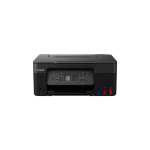
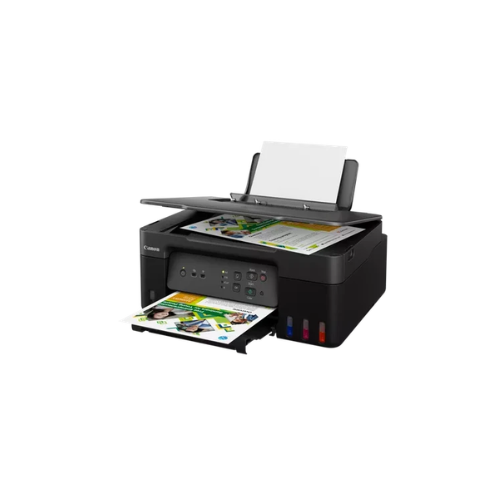

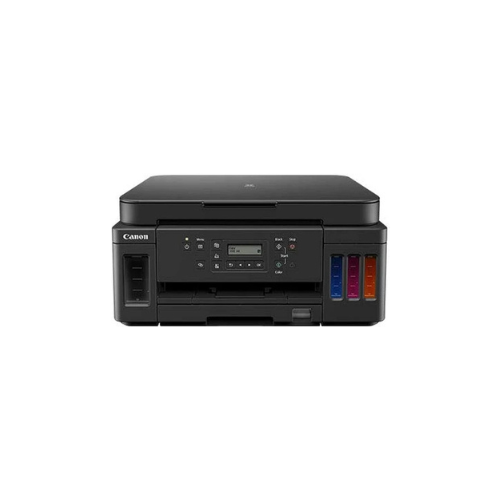
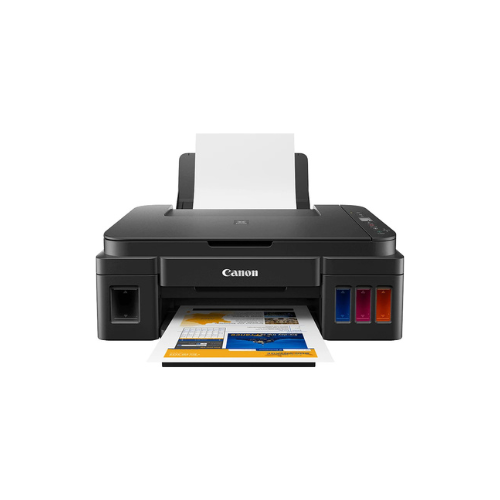
Canon PIXMA G3430 wi-fi AIO Printer
Key Features
Brand: Canon
Fast prints: Delivers up to 4600 prints
3-in-1 printer: Print, scan and copy with a single device
Hih seed productivity of 11.0 ipm (Mono) and 6.0 ipm (Colour)
Prints on magnetic and matte photo paper
Large-capacity rear tray for volume printing: 100-sheet capacity
Connect wirelessly to your computer or smart device
High quality printing
Easy and straight foward to use
Easy at home maintanance
High yield ink bottles
Works with all major computer operating systems
1 Year Warranty
Canon PIXMA G3430 Wi Fi All In One Printer Technical Product Information
Core Product Identification
-
- Manufacturer: Canon
- Series: PIXMA Megatank
- Model Number: G3430
- Device Type: All in One Refillable Ink Tank Printer
- Core Functions: Wireless Print, Scan, Copy, Cloud Link
High Volume Smart Printing and Modern Efficiency
The Canon PIXMA G3430 is a next generation refillable Megatank printer built to maximize productivity for home offices, student workspaces, and small businesses. This multi function system replaces traditional ink cartridges with high capacity integrated fluid reservoirs. The front facing layout allows operators to monitor ink volumes instantly while driving down total running costs.
The hardware deploys a refined hybrid ink formulation to produce exceptional output quality across diverse media types. It utilizes a dedicated pigment black ink to ensure crisp smudge resistant text that stands up to highlighter markers. Simultaneously, dye based color inks deliver rich accurate graphics and vibrant borderless BB
Featuring upgraded wireless capabilities, the device integrates cleanly into modern cloud workflows. Users can execute secure print jobs from smartphones, laptops, and tablets without desktop cable clutter. The engineered ink bottles use unique mechanical keys for each color, making it impossible to fill a tank with the wrong color ink.
Key Technical Specifications
-
- Print Resolution: Up to 4800 by 1200 dots per inch
- Mono Print Speed: Approximately 11.0 images per minute
- Color Print Speed: Approximately 6.0 images per minute
- Borderless Photo Speed: 10 by 15 centimeter photo in 45 seconds
- Scanner Type: CIS Flatbed Document and Photo Scanner
- Optical Scan Resolution: 600 by 1200 dots per inch
- Wireless Connectivity: Wi Fi IEEE 802.11 b g n
- Interface Type: High Speed USB Port
Consumable Ink Compatibility and Yields
This printer utilizes ultra high capacity Canon GI 41S or GI 41 ink bottles. The physical design features a zero squeeze mechanism and color coded keyed nozzles to ensure clean mistake proof refilling.
Genuine Ink Bottles
-
- Canon GI 41 Black Ink Bottle
- Canon GI 41 Cyan Ink Bottle
- Canon GI 41 Magenta Ink Bottle
- Canon GI 41 Yellow Ink Bottle
Standard Document Page Yields
-
- Black Ink Reservoir: Prints up to 6000 pages from a single bottle
- Color Ink Reservoirs: Prints up to 7700 pages from a full set of color bottles
- Economy Mode Option: Increases the black ink page yield up to 7600 pages
Professional Productivity and Design Benefits
Keyed Ink Filling System
The mechanical design of the GI 41 bottles prevents accidental cross contamination. Ink flows automatically when inserted into the correct tank opening and stops when the reservoir is completely full.
Direct Mobile Ecosystem
Integrated smart connectivity supports swift printing via the Canon PRINT app, Apple AirPrint, and Mopria for Android. Users can print from major cloud storage networks directly from mobile applications.
Compact Home Architecture
The physical footprint is highly optimized for space constrained desks. The internal pump mechanisms operate with lower noise output compared to previous generations of desktop printers.
User Replaceable Maintenance Cartridge
This design includes a user replaceable maintenance cartridge to collect excess ink. Operators can swap this component themselves to extend machine longevity and avoid factory service delays.
Step by Step Wireless Setup Guide
Connecting via Mobile Direct
-
- Download the official Canon PRINT application onto a smartphone or tablet
- Power on the printer and tap the dedicated physical network pairing button
- Observe the status indicator to ensure the wireless mode is fully active
- Open the mobile app and choose the search for available printers feature
- Select the detected printer and input the local network password to finish
Frequently Asked Questions
What is the advantage of the user replaceable maintenance cartridge
Older models required professional repair service when internal waste ink pads became full. The G3430 uses a drop in maintenance box that operators can purchase and replace independently in seconds.
Can this printer handle heavy cardstock and envelopes
Yes, the rear paper tray accommodates diverse media types including magnetic photo paper, iron on fabric transfers, envelopes, and heavy matte paper up to 265 grams per square meter.
Does this printer support duplex printing
The machine features manual duplex assistance. The printer software guides the operator on how to flip and reinsert the printed sheets to complete double sided documents.