Brother Printers
 WhiteBoard
 IP PBXs





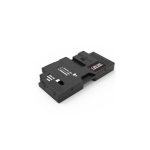
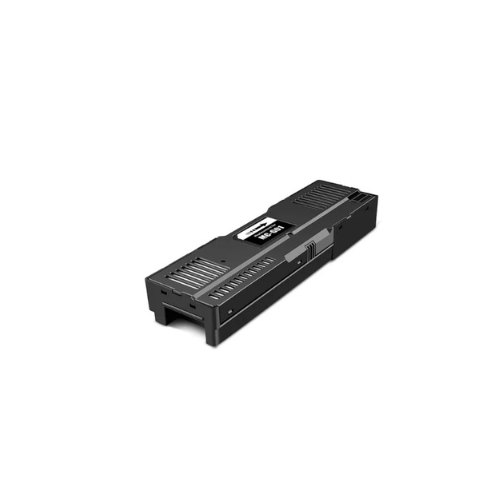

Canon MC-G01 Maintenance Cartridge-4628C001AA
Key Features
Brand: Canon
User replaceable
Absorbs excess ink
Protects the printer from ink leakage inside the printer
Ensures high quality printing and smooth printer functioning
Canon MC-G01 Maintenance Cartridge-4628C001AA
The Canon MC-G01 Maintenance Cartridge (4628C001AA) is an original, user-replaceable component designed specifically for high-volume Canon MAXIFY GX series printers . It acts as a receptacle for waste ink generated during printhead cleaning cycles and normal startup routines.
According to your personal records, while you recently purchased a Canon Pixma G2430 on March 19, 2026, that specific model requires the MC-G02 maintenance cartridge, meaning the MC-G01 is not compatible with your current device.
Essential Functions and Purpose
- Ink Absorption: Safely absorbs residual ink and overspray during operations to prevent internal buildup and leakage.
- System Protection: Reduces the risk of ink-related errors and protects delicate internal hardware from waste ink overflow.
- High Performance: Includes an intelligent chip to ensure the printer recognizes the unit for accurate ink-level tracking and reliable performance
Technical Specifications
- Product Type: User-replaceable waste ink tank.
- Page Yield: While lifespan varies by usage and cleaning frequency, some estimates suggest a capacity equivalent to approximately 14,800 pages .
- Form Factor: High-capacity design with an ultra-absorbent sponge and robust structure intended to hold up to 20% more ink than standard variants in some compatible third-party designs.
Broad Device Compatibility
The MC-G01 is exclusively designed for select Canon MAXIFY MegaTank models:
- MAXIFY GX Series: GX5040, GX5050, GX5070, GX6010, GX6020, GX6030, GX6040, GX6050, GX7010, GX7020, GX7040, GX7050, and GX7092.
Replacement Procedure
When the cartridge becomes full, a “Maintenance Cartridge Full” message will appear on the printer’s screen.
- Preparation: Ensure no print jobs are in progress. Do not attempt replacement during printhead cleaning.
- Removal: Use a screwdriver to unscrew the retaining screw on the rear or maintenance cover. Pull the used cartridge outward along its handle.
- Handling: Keep the used cartridge level to prevent ink leaks. Place it in the storage bag provided with the new unit.
- Installation: Slide the new MC-G01 unit into the slot until it clicks securely into place, then reinstall and secure the cov