Brother Printers
 WhiteBoard
 IP PBXs





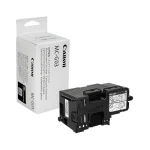
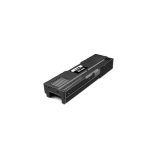
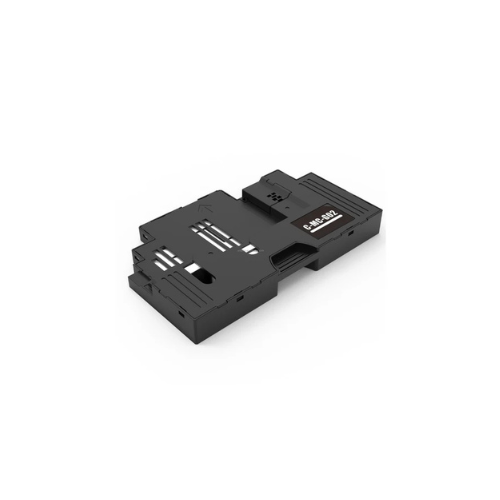

Canon MC-G02 Maintenance Cartridge
Key Features
Brand: Canon
User replaceable
Absorbs excess ink
Protects the printer from ink leakage inside the printer
Ensures high quality printing and smooth printer functioning
Canon MC-G02 Maintenance Cartridge
The Canon MC-G02 Maintenance Cartridge is a critical, user-replaceable component designed specifically for Canon PIXMA G-Series MegaTank printers. It serves as the primary receptacle for waste ink accumulated during routine maintenance cycles, such as printhead cleaning operations and initial ink charging.
Essential Functions and Benefits
- Waste Ink Management: It collects the excess ink overspray generated during borderless printing and captures the residual ink used in maintenance routines.
- Printer Protection: By securely locking in waste ink within a high-capacity absorbent matrix, it prevents internal printer contamination, ink leakage, and system errors caused by overflow.
- User-Replaceable Design: This genuine OEM (Original Equipment Manufacturer) part is designed for simple, tool-free installation, allowing users to perform basic maintenance without needing a professional technician or visiting a service center. [
- System Longevity: Regular replacement ensures high-quality printing, smooth operational performance, and extends the overall lifespan of the printer.
Technical Compatibility
The MC-G02 is designed for a broad range of Canon PIXMA G-series MegaTank printers:
- PIXMA G1xxx Series: G1420, G1520.
- PIXMA G2xxx Series: G2420, G2460, G2520, G2560.
- PIXMA G3xxx Series: G3420, G3460, G3520, G3560.
- Photo Printing Models: PIXMA G540, G550, G620, G640, G650.
- North American Models: PIXMA G1220, G2260, G3260.
Step-by-Step Replacement Instructions
When your printer’s LCD screen or computer interface prompts a “maintenance cartridge full” notification, follow these steps for replacement:
- Preparation: Purchase a new MC-G02 unit. Turn the printer off.
- Access: Locate the maintenance cover (typically at the rear or side). Use a coin to loosen the securing screw and remove the cover.
- Removal: Pull the full cartridge straight out. Lift it slightly if needed to clear the housing.
- Disposal: Immediately place the old unit in the plastic bag provided with the new cartridge and seal it tightly to prevent leaks.
- Installation: Slide the new cartridge straight into the slot until it clicks or stops firmly.
- Secure: Reattach the cover and tighten the coin screw clockwise.
- Reset: Turn the printer back on. The system should automatically recognize the new cartridge and clear the error.
Maintenance Precautions
- Contact Protection: Avoid touching the electrical contacts or the ink absorption pad on the new unit to ensure proper recognition and function.
- Safe Handling: Do not drop or place a removed cartridge on a desk or furniture, as ink may scatter or adhere to the surface.
- Internal Safety: Avoid putting your hands inside the printer during replacement, as residual ink may adhere to your hand