Brother Printers
 WhiteBoard
 IP PBXs





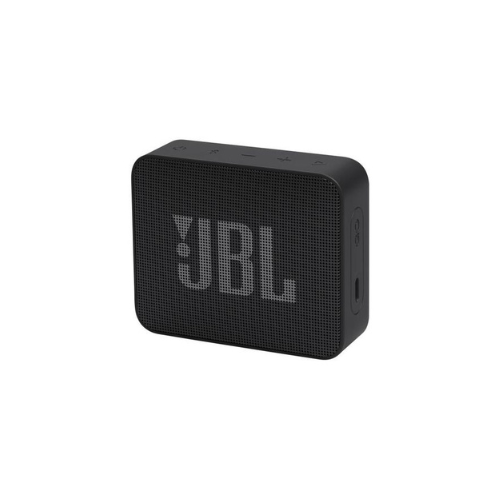
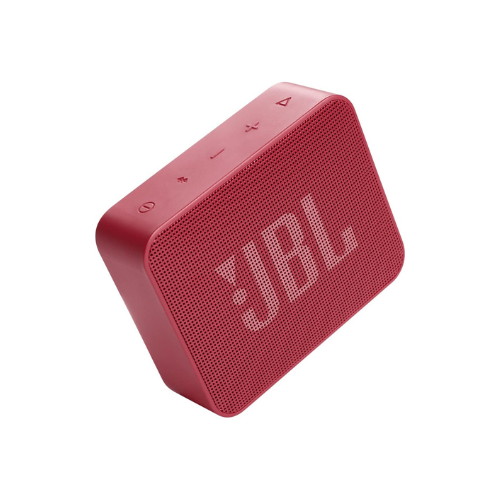

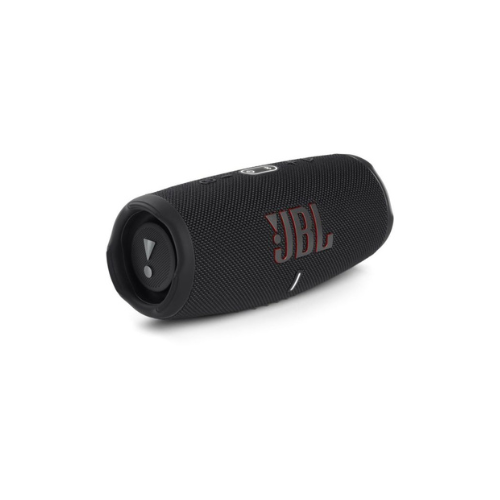
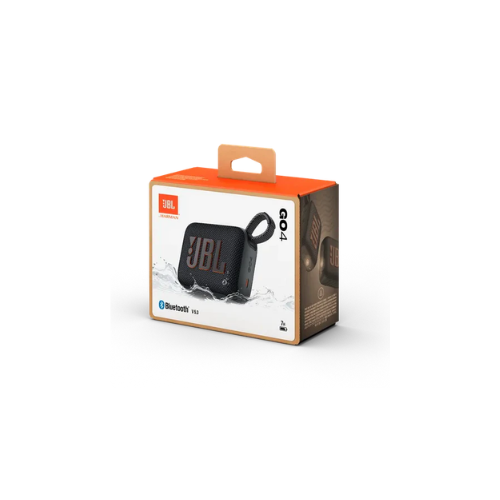
JBL Go Essential 2 Bluetooth Speaker
Key Features
Brand:JBL
IP67 waterproof and dustproof rating
Up to 7 hours of continuous playtime
JBL Pro Sound with deep bass
Bluetooth 5.3 for stable connectivity
1 Year Warranty
JBL Go Essential 2 Bluetooth Speaker: Ultimate High-Speed Professional Guide
The JBL Go Essential 2 Bluetooth Speaker is a powerhouse in the professional ultra-portable audio, outdoor entertainment, and compact workspace market . This high-efficiency micro-speaker eliminates structural environmental hazards while delivering crisp, clean audio for desktop setups, personal travel, and active lifestyles. It serves as a reliable, heavy-duty solution designed to streamline portable media playback, background office tracking, and on-the-go acoustic monitoring for users of all sizes. By utilizing advanced compact engineering, this flexible machine helps users boost daily productivity, reduce ambient downtime, and maintain a highly mobile workflow. Modern music lovers rely on this hardware to eliminate bulky equipment bottlenecks and automate reliable outdoor audio tasks. Its robust build quality ensures it handles high-volume processing cycles without overheating or experiencing performance drops. Creators and travelers looking to scale their digital mobile infrastructure find this device to be an indispensable asset for daily multimedia production.
This comprehensive guide covers everything you need to optimize this device for your workflow.
Key Technical Specifications
Understanding the hardware capabilities helps you maximize your investment. The device balances ultra-compact physical dimensions with upgraded environmental protection.
- Acoustic Driver : 1 x 40 millimeter high-performance dynamic transducer
- Output Power : 3.1 Watts RMS of rich JBL Original Pro Sound
- Frequency Response : 180Hz to 20kHz balanced audio spectrum
- Wireless Protocol : Stable Bluetooth 4.2 connectivity system
- Interface Port : Integrated high-efficiency USB-C charging channel
- Environmental Rating : Elite IP67 completely waterproof and dustproof certification
Top Features and Business Benefits
Rich Original JBL Pro Sound
The advanced 40mm transducer technology means you never experience muddy audio distortion common with unbranded micro-speakers. It translates digital audio signals and processes vocal tracking frequencies at lightning speeds, keeping your editing or playback pipeline moving without delays.
Upgraded IP67 Weatherproofing
The built-in dustproof and waterproof seal allows the chassis to survive harsh weather elements or pool submersion safely. You can maximize your outdoor listening activities comfortably without being tethered to fragile indoor enclosures or fearing trail sand and water splashes.
Streamlined USB-C Charging
Integrate the machine seamlessly into any modern charging environment using the standardized Type-C input port. Operators can refresh power cells quickly using standard multi-device cables, removing the necessity to carry obsolete legacy wires.
Ultra-Compact Grab-and-Go Form Factor
Using specific ultra-lightweight structural scaling, the entire unit weighs just 180 grams. This is ideal for highlighting critical mobility, fitting effortlessly into small tech bags or pockets, and maintaining high physical workspace configuration versatility.
Simple Step-by-Step Setup Guide
Follow these steps to get your professional pocket speaker running quickly.
Step 1: Unpack and Verify Power Status
Remove all protective packaging wraps and box document cards. Attach the included power adapter cord to the USB-C slot to confirm the internal lithium-ion core holds an active base charge
Step 2: Initialize Wireless Pairing Mode
Press the top physical power button layout to switch the speaker system on. Push the dedicated Bluetooth utility key to prompt the internal transceiver card to broadcast its open identification beacon.
Step 3: Link Your Source Workstation
Open the connectivity utility panel on your laptop computer, smartphone, or tablet device. Search the active network tree, select the matching speaker name, and confirm pairing.
Step 4: Verify Device Recognition Status
Wait for the status indicator light array to shine solid. Run an acoustic track test and manipulate the top physical button controls to complete the initial volume calibration and device configuration process.