Power Banks


 Brother Printers


 IP PBXs



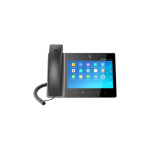
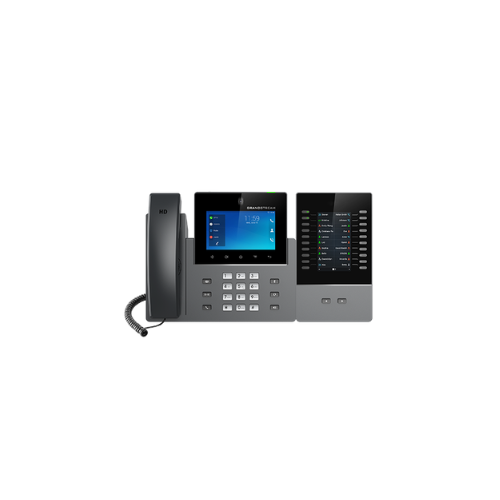
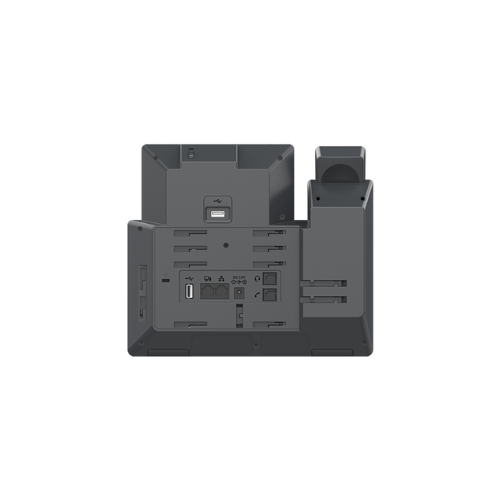

Grandstream GXV3450 IP Video Phone
Key Features
Brand: Grandstream
16 lines with up to 16 SIP accounts
Built-in 2 mega-pixel CMOS camera for video calling with privacy shutter
Runs on the Android 14 operating system
Built-in Bluetooth 5.0 for syncing with mobile devices and connecting Bluetooth headsets
Dual-switched auto-sensing 10/100/1000Mbps network ports
Integrated dual-band Wi-Fi 5 (2.4GHz & 5GHz)
Built-in PoE/PoE+ for power and network connections
Dual-mic HD speakerphone with noise shield 2.0, advanced echo cancellation & excellent double-talk performance
Quad-core 1.8GHz ARMCortex-A55 processor with 2GB RAM and 16GB eMMC Flash
5’’ (1280×720) capacitive 5-point touch screen IPS LCD
Peripherals include USB3.0, USB 2.0, RJ9 headset with EHS
10-way audio conferencing & 3-way 720p 30fps HD video conferencing capability
1 Year Warranty
Grandstream GXV3450 IP Video Phone Review and Technical Overview
Primary Display: 5.0 Inch Capacitive Multi Touch Screen
Camera Hardware: Integrated Megapixel Sensor with Privacy Shutter
Line Capacity: Supports up to 16 Session Initiation Protocol Accounts
Wireless Modules: Integrated Dual Band Wi-Fi and Bluetooth 5.0
Network Interfaces: Dual Switched Auto Sensing Gigabit Ethernet Ports
Power Hardware: Integrated Power over Ethernet Plus Support
Physical Interfaces: HDMI Out, USB 3.0 Port, Type C Peripheral Port
Security Engine: Secure Boot, Random Passwords, Dual Image Firmware
-
- Match the structural phone stand with the connection slots on the underside of the phone body.
- Snap the stand legs inward, choosing either the steep or flat angle slot position to control screen glare.
- Plug the long straight end of the coiled handset cord into the phone jack marked with a handset emblem.
- Insert the opposite end of the coiled cord deep into the base socket of the handset handle piece.
- Connect a standard Ethernet network cable from an active office wall jack to the LAN port on the phone back.
- The phone hardware will draw operating electrical power directly from the data cable if your network utilizes a Power over Ethernet plus switch.
- The display screen will light up and begin loading the Android operating system core files immediately.
- Pass your local wired network signal through to a desktop computer terminal by linking a second Ethernet cable from the phone PC port to your computer tow