Brother Printers
 WhiteBoard
 IP PBXs








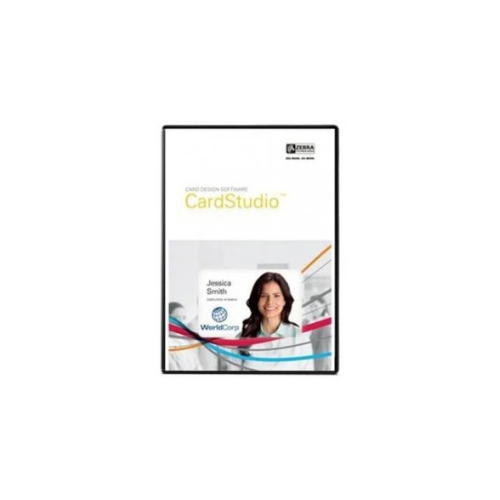
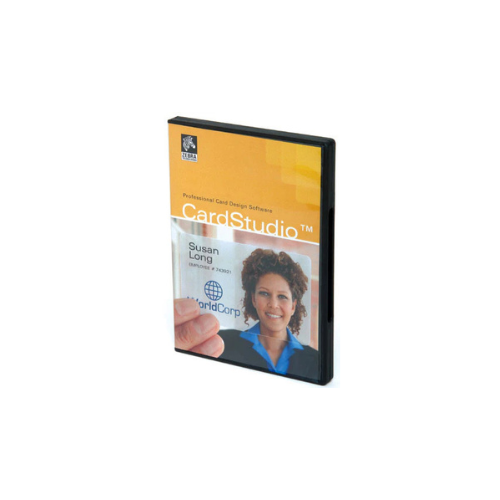
Zebra Cardstudio Enterprise Edition ID Card Software-P1031776-001
Key Features
Brand: ZEBRA
ID cards
Access control
Retail and loyalty cards
Clubs and associations
Schools and libraries
Visitor badges
1 Year Warranty
Zebra CardStudio 2.0 Enterprise ID Card Software: Scalable Corporate Badge Management
Zebra CardStudio Enterprise ID card software delivers an advanced network-driven platform engineered for organizations managing secure badge production across multiple departments or facilities . Positioned above the Standard edition, this version unlocks concurrent network operations and multi-user data synchronization. Choosing this software ensures centralized database control, allowing corporate security teams to maintain absolute credential integrity across the entire enterprise.
Key Specifications and Features
- Software Version: CardStudio 2.0 Enterprise Edition
- Database Connectivity: Direct network connection to Microsoft Excel, Access, and network CSV files
- Project Management: Create multiple card designs and database connections within a single project file
- Data Capacity: Unrestricted database records and project storage capacity
- Security Controls: Detailed user account management and digital signature capture support
- Barcode Generation: Integrated 1D and 2D barcode engines including QR code configurations
- Printer Network Integration: Built-in support for multiple networked Zebra ID card printers
Enterprise Benefits of CardStudio Enterprise
Centralized Network Database Access
The Enterprise edition allows multiple workstations to connect directly to the same master data files over a local area network. This eliminates data duplication errors and ensures that badge printing stations always pull the most up-to-date employee records.
Multi-Card Project Architecture
Unlike entry-level tiers, this software allows users to build and house multiple card layouts inside a single project dashboard. Administrators can create separate designs for employees, temporary contractors, and visitors while linking them all to a single corporate data source.
Fine-Grained User Permissions
To protect sensitive personnel data, the platform features administrative user management controls. System owners can restrict access to card design templates, database configuration panels, or simple print functions based on individual employee roles.
Seamless Upgrade Path
The software utilizes a digital activation licensing structure for rapid enterprise deployment. If your operation eventually scales to require advanced smart card chip encoding, the platform can be upgraded to the Professional tier online without losing your existing assets.
Target Industries and Use Cases
Multi-Campus Corporate Enterprises
Human resources and security teams deploy the Enterprise version to manage employee badges across diverse regional office locations, keeping all security credentials bound to a central corporate directory.
Government and Municipal Administration
Local municipalities utilize the software to handle multi-department card issuance, printing distinct badge styles for public works, administrative staff, and emergency services from a shared database.
Large Scale Higher Education Systems
Universities manage vast student and faculty databases across multiple campus branches, printing identification cards, library passes, and facility access badges efficiently at separate student centers.
Software Deployment and Optimization Setup
- Network Drive Hosting: Store your master project files on a secure corporate network share to enable seamless multi-workstation printing access.
- Template Synchronization: Establish standardized global card layouts to ensure strict brand compliance across all remote printing facilities.
- Driver Standardization: Deploy identical, up-to-date native Zebra Windows printer drivers on all network printing nodes to achieve uniform output quality.
Frequently Asked Questions
What is the main difference between CardStudio Standard and Enterprise?
The Standard edition restricts operations to single project files with local databases. The Enterprise edition allows network database connectivity, multi-card layout projects, and comprehensive multi-user administrative control.
Does CardStudio Enterprise support contact or contactless smart card encoding?
No. The Enterprise edition manages magnetic stripe encoding and complex barcode generation. For advanced smart card chip encoding, such as MIFARE or DESFire, you must utilize the Professional edition.
Can I run this software on a Windows Server environment?
Yes. The software is fully compatible with modern Windows environments, including standard desktop operating systems like Windows 10 and 11, as well as Windows Server architectures used in corporate IT infrastructures.
How is the software licensed for multiple users?
A standard enterprise license activation key is issued per workstation. To deploy the software across multiple networked computers, you must acquire the appropriate number of seat licenses for your environment.
Can I capture photos directly inside the software interface?
Yes. The software features native image capture tools that interface directly with standard corporate webcams or digital cameras, allowing you to crop and drop employee photos into templates on the spot.