Power Banks


 Brother Printers


 IP PBXs



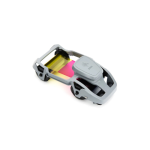
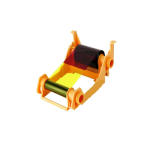
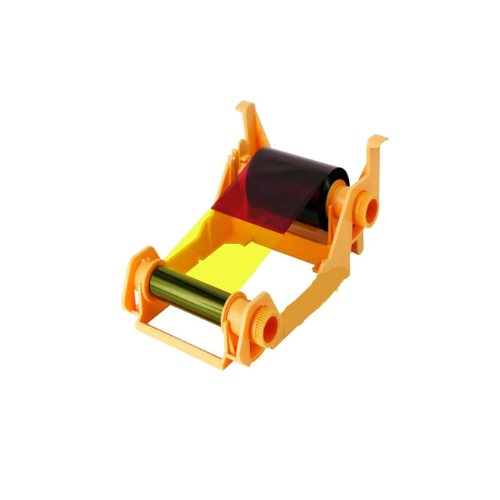

Zebra 800033-848 YMCKOK Full Colour Ribbon-57mmx97m(2.24inx318ft), 165 Images, ZXP3
Key Features
Brand: ZEBRA
Product Type: Ribbon
Images: 165
Ribbon Type: Wax
Core Size: Cartridge
Color: Yellow/Magento/Cyan/Black
Coated Side: Coated Side Out (CSO)
Sold By: Roll
Roll Weight: 0.4
Case Quantity: 1
Case Weight: 0.4
Compatible Printers: ZXP3
1 Year Warranty
Zebra 800033-848 YMCKOK Color Ribbon 165 Images: Premium Dual-Sided ID Card Printing
The Zebra 800033-848 YMCKOK color ribbon delivers an elite, professional solution for dual-sided badge customization. Engineered specifically for the Zebra ZXP Series 3 card printer, this ribbon includes a secondary black panel designed for printing crisp text on the back of cards without wasting color panels. Choosing genuine Zebra consumables guarantees lifelike photo replication, flawless barcode scannability, and robust scratch protection across your entire card deployment. ]
Key Specifications and Features
-
- Part Number: 800033-848
- Ribbon Type: Dual-sided YMCKOK (Yellow, Magenta, Cyan, Black, Overlay, and secondary Black panels)
- Ribbon Dimensions: 57mm width by 97 meters length (2.24 inches by 318 feet)
- Total Print Yield: 165 dual-sided cards per roll
- Compatible Printers: Zebra ZXP Series 3 card printers
- Print Technology: Dye-sublimation color and thermal transfer monochrome printing
- Cartridge Eco-Design: Load-and-go eco-friendly ribbon cartridge with integrated cleaning roller
Enterprise Benefits of Zebra 800033-848 Ribbons
Cost-Effective Dual-Sided Printing
The specialized YMCKOK configuration optimizes multi-side card production. Instead of burning vibrant color panels on the back of a badge, the ribbon utilizes a dedicated secondary black (K) panel to apply text, terms of use, or disclaimer data, keeping your cost-per-card low.
Photo-Realistic Full-Color Imaging
The dye-sublimation formulation utilizing front-facing Yellow, Magenta, and Cyan panels blends seamlessly to reproduce millions of distinct shades. This capability yields sharp, photo-realistic employee portraits, high-fidelity brand graphics, and multi-colored tier backgrounds.
Integrated Wear and Fade Protection
The front-facing clear Overlay (O) panel applies a transparent, protective topcoat over the color side of the card. This built-in layer shields the printed image against daily abrasion, finger oils, moisture, and UV-induced fading, extending badge lifespan.
Smart Load-and-Go Cartridge Setup
The ZXP Series 3 cartridge drops into the printer chassis effortlessly. The built-in smart media technology automatically communicates with the Zebra printer firmware, instantly calibrating printhead temperatures, setting optimal color profiles, and tracking remaining panel counts
Target Industries and Use Cases
Corporate Security and Facility Access
Security teams utilize this dual-sided ribbon to print employee photo IDs on the front and facility instructions, emergency contacts, or regulatory disclaimers on the back.
Education and Campus Identification
K-12 schools and university registration departments deploy dual-sided printing to showcase student portraits and barcodes on the front while placing school library codes or terminal access rules on the back.
Membership, Loyalty, and Hospitality
Gyms, retail clubs, and entertainment venues print high-quality, branded membership cards featuring customer photos on the face and terms of membership on the reverse side.
Printer Calibration and Ribbon Optimization Setup
-
- Cartridge Replacement: Open the ZXP Series 3 top cover, remove the exhausted core, drop the new cartridge into the guide slots, and pull the clear lead sheet taut before closing.
- Cleaning Roller Activation: Every ribbon replacement includes a fresh adhesive cleaning roller; ensure you remove the protective wrapper to catch micro-dust before it reaches the printhead.
- Driver Printing Calibration: Configure your native Windows Zebra driver preferences to “Front: YMCKO, Back: K” to ensure proper panel indexing and avoid wasting ribbon sections.
Frequently Asked Questions
What is the exact purpose of the second K panel in YMCKOK?
The second K panel provides pure black ink for the back side of the card. This allows you to print barcodes, text, or serial numbers on the back of the card without using up color panels.
Can I use this ribbon in a modern Zebra ZC300 printer?
No. This ribbon is engineered with a cartridge chassis built exclusively for the internal layout and locking mechanisms of the legacy Zebra ZXP Series 3 card printer.
What is the purpose of the included cleaning roller?
The cleaning roller catches micro-dust and debris on blank PVC cards before they reach the printhead. This prevents white spots on your printed cards and extends the lifespan of the thermal printhead.
Are these ribbons safe for composite PVC cards?
Yes. The ink formulations bond flawlessly with standard 100 percent white PVC cards as well as heavy-duty composite PVC-PET cards without causing ribbon melting or tearing.
How do I know when the ribbon roll is running low?
The built-in smart chip transmits real-time panel information directly to the printer dashboard software on your desktop screen, giving you an accurate countdown of remaining prints.