Brother Printers
 WhiteBoard
 IP PBXs





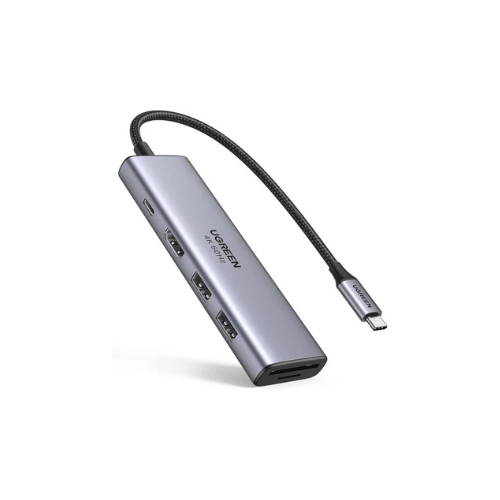
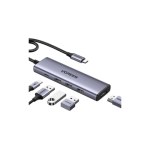
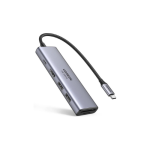

UGREEN 5-in-1 USB-C Multifunction Adapter – UG-15596
Key Features
Brand: UGREEN
Product Name: UGREEN 5-in-1 USB-C Multifunction Adapter – CM511
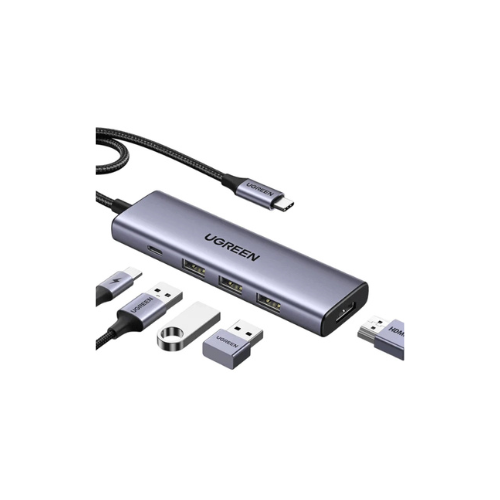
Ports:3 x USB 3.0 Type-A (5Gbps), 1 x HDMI (4K @ 30Hz), 1 x USB-C Power Delivery (Max 100W input)
Input: USB-C male
Output: USB-A, HDMI, USB-C PD
Compatibility: Windows, macOS, iPadOS, Android
Material: Sleek aluminum alloy for better heat dissipation
1 Year Warranty
UGREEN 5-in-1 USB-C Multifunction Adapter CM511 Review
The UGREEN 5-in-1 USB-C Multifunction Adapter CM511 expands your laptop connectivity through a single USB-C port. This hub provides essential ports for data transfer, video output, and peripheral connectivity. It features a compact aluminum design suitable for modern professionals and remote workers.
As modern laptops become thinner, they sacrifice standard ports. This creates a massive challenge for professionals who rely on external devices. The CM511 solves this problem by instantly transforming your single port into a comprehensive workstation hub. It bridges the gap between ultra portable notebooks and legacy hardware.
This adapter serves as an ideal ecosystem solution for various users. Photographers can transfer files while outputting raw footage to a production monitor. Remote corporate employees can connect wired office peripherals during daily video conferences. It removes productivity bottlenecks without adding bulk to your mobile setup.
Key Features and Technical Specifications
This multifunction adapter consolidates five essential ports into one sleek device.
- 4K HDMI Video Output : Supports resolutions up to 4K at 30Hz for external displays.
- High Speed USB 3.0 Ports : Three USB-A 3.0 ports deliver data transfer speeds up to 5Gbps.
- Premium Aluminum Enclosure : Dissipates heat quickly and matches modern laptop aesthetics.
- Plug and Play Functionality : Requires no driver installations or external power sources.
- Universal USB-C Compatibility : Works seamlessly across Windows, macOS, Linux, and ChromeOS.
Performance and Connectivity
Ultra HD Visual Display
The HDMI port connects your USB-C laptop to a larger monitor, projector, or television. It delivers crisp 4K visual output for presentations, video editing, and media streaming. The adapter backward counterfeits to 1080p resolutions at 60Hz for older displays.
Rapid Data Transfer
Three USB 3.0 ports allow you to connect multiple peripherals simultaneously. You can attach a mouse, keyboard, and external hard drive without experiencing latency. The 5Gbps bandwidth transfers HD movies, large project files, and backups in seconds.
Design and Portability
The adapter features a minimalist space gray aluminum alloy shell. This material protects internal components and keeps the hub cool during heavy use. The built-in braided nylon cable resists bending, fraying, and daily wear. Its lightweight profile slips easily into laptop bags or pockets for travel.
Compatibility Matrix
The CM511 adapter supports devices featuring a video-enabled USB-C or Thunderbolt 3 and 4 port.
- Apple : MacBook Pro, MacBook Air, iPad Pro, and iMac models.
- Dell : XPS series, Inspiron laptops, and Latitude business devices.
- HP : Spectre, Envy, Pavilion, and EliteBook notebooks.
- Lenovo : ThinkPad, Yoga, Legion, and IdeaPad computers.
- Operating Systems : macOS 10.10 or above, Windows 8 or newer, ChromeOS, and Linux.
Frequently Asked Questions
Does this adapter support pass through laptop charging?
The CM511 model focuses on data transfer and video output. It does not feature a USB-C Power Delivery port for charging your laptop.
Can I use all three USB ports at the same time?
Yes, you can use all three USB 3.0 ports simultaneously. However, high power draw devices like external magnetic hard drives may require direct laptop connection if multiple are used together.
Does the HDMI port require special drivers?
No, the HDMI port utilizes the native DisplayPort Alternate Mode over your USB-C connection. It works instantly without installing third party software