Power Banks


 Brother Printers


 IP PBXs



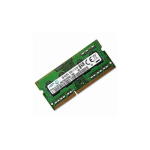
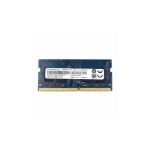
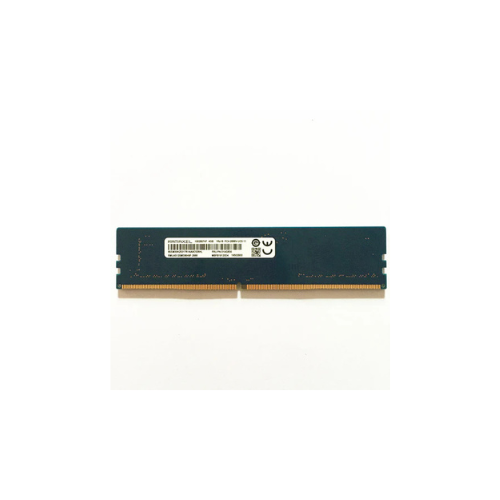

RAMAXEL Desktop RAM DDR4 4GB 3200
Key Features
Brand:RAMAXEL
Computer Memory Size 4 GB
RAM Memory Technology Ddr4_sdram
Compatible Devices Laptop
Form Factor SO-DIMM
Number of Pins 26
1 Year Warranty
Ramaxel Desktop RAM DDR4 4GB 3200 Specifications and Features
Affordable System Performance Enhancements
Integrating a Ramaxel Desktop RAM DDR4 4GB 3200 module into your motherboard fixes system sluggishness instantly. This component expands the temporary storage space your computer uses to execute software commands. Adding this module ensures that basic computing platforms stay fast and responsive throughout the day.
High Performance 3200MHz Frequency
This DDR4 memory module runs at an optimal clock speed of 3200MHz right out of the box. High clock speeds shorten data queues between the desktop processor and the memory bank. The resulting PC4-25600 bandwidth profile allows for quick file transfers and snappy application loading times.
Broad Motherboard and Processor Compatibility
Ramaxel modules use standardized JEDEC profiles to ensure seamless integration with a wide array of desktop systems. The module works reliably with both modern Intel Core and AMD Ryzen desktop platforms. It auto-configures to the correct system speed without requiring complex BIOS modifications.
Unbuffered 288-Pin Desktop Design
Built specifically for traditional desktop motherboards, this module features a standard 288-pin layout. The unbuffered non-ECC design ensures low operational latency for consumer and workplace applications. It provides a direct, unhindered data path for standard computing workloads.
Primary System Advantages
-
- Improved Operating System Response: Windows and Linux systems navigate menus and settings faster.
- Efficient Background Processing: Security software and cloud backups run smoothly behind your main tasks.
- Optimized Dual-Channel Setup: Pair with a second 4GB module to activate faster dual-channel modes.
- Low Thermal Output: Runs cool at standard voltages to protect nearby computer hardware.
Detailed Technical Specifications
- Device Type: Internal Desktop Memory DIMM
- Generation: DDR4 SDRAM
- Storage Size: 4GB Capacity
- Data Frequency: 3200MHz Speed
- Form Factor:
Power Down the Computer
Save all open files and shut down the computer completely through your operating system. Disconnect the power cable from the rear of the desktop tower. Press the computer power button once to empty any remaining electricity stored inside the system parts.
Align and Seat the Memory Stick
Open the computer case side door to locate the memory slots next to the processor heat sink. Push the plastic toggles on the ends of the memory slot outward to open the channel. Line up the off-center notch on the bottom edge of the RAM stick with the slot ridge.
Secure the Component
Push down firmly on both top corners of the RAM module at the same time until the side clips snap back into place. You will hear an audible click when the module is fully locked down. Replace the desktop side panel, reconnect the power cord, and boot up your system