Brother Printers
 WhiteBoard
 IP PBXs






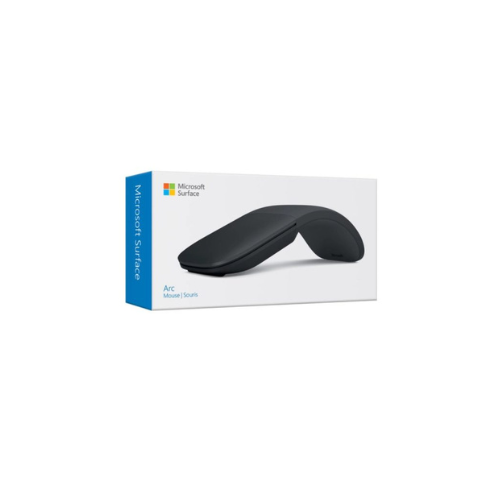
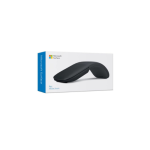

Microsoft Surface arc mouse Black
Key Features
Brand: Microsoft
Bluetooth 4.0 Wireless Technology
Wireless Range up to 32.8′
Travel-Friendly Design
Shaped to Natural Curve of Your Hand
AAA Batteries Included
1 Year Warranty
Ultimate Guide to the Microsoft Surface Arc Mouse (Black)
The Microsoft Surface Arc Mouse in Sleek Black represents the pinnacle of travel-ready peripheral engineering. Designed to companion your mobile workspace, this premium wireless mouse redefines ergonomic portability.
The standout innovation is its unique flexible design: snap it into its curved position to power it on for a comfortable, full-sized hand rest, or flatten it out to automatically power it off and slide it flat into a pocket or briefcase
Technical Specifications and Architecture
Understanding the precise physical and wireless metrics ensures this tracking companion integrates perfectly with your current hardware setup.
- Product Type: Ultra-Slim Portable Wireless Mouse
- Color Finish: Matte Black
- Connectivity Type: Bluetooth Low Energy 4.0 / 4.1 / 4.2 / 5.0
- Wireless Frequency: 2.4 GHz Frequency Range
- Wireless Range: Up to 10 meters in open areas; 5 meters in office settings
- Tracking Technology: Microsoft BlueTrack Technology
- Power Source: 2 AAA Alkaline Batteries (Included)
- Battery Lifespan: Up to 6 months of standard operational deploymen
Key Features of the Surface Arc Mouse
Innovative Snap-to-Flatten Design
The defining characteristic of the Arc Mouse is its kinetic structural design. It conforms to the natural curve of your hand when active, giving you the ergonomic comfort of a desktop mouse. When flattened, it collapses down to a ultra-thin shape that fits comfortably in tight travel sleeves, tablet cases, or jean pockets. [
Full Scroll Plane for Dynamic Navigation
The traditional mechanical tracking wheel is replaced by a smooth, comprehensive touch scroll plane. This touch-sensitive surface registers both vertical and horizontal finger movements, letting you glide effortlessly through vast data spreadsheets, large design layouts, and lengthy document timelines.
Microsoft BlueTrack Sensor Innovation
The underside houses a powerful BlueTrack sensor system. This advanced tracking engine combines the raw power of optical tracking with the pinpoint precision of laser tracking. It allows the mouse to navigate perfectly on difficult surfaces, including glossy hotel desks, rustic wooden tables, and conference room laminate.
Sleek, Clean Aesthetics
The minimalist black finish completely eliminates visible seams, joints, and physical buttons. The entire top surface functions as an intuitive click pad that accurately differentiates between left-click and right-click finger pressure, keeping your desk free from visual clutter
Workspace Advantages in Professional Environments
Instant Wireless Deployment
Eliminate the need for loose cables, USB dongles, or transceivers. By utilizing high-speed Bluetooth connection lanes, the mouse pairs instantly with your laptop, tablet, or desktop. It frees up your machine’s physical USB ports for high-capacity storage drives and external displays.
Travel-Optimized Battery Conservation
The physical power toggle is linked directly to the mouse’s shape. Flattening the device cuts internal power lines immediately, preventing the mouse from accidentally draining its batteries when bouncing around inside a backpack or computer bag.
Lightweight Structural Build
Weighing just under 83 grams with batteries installed, the mouse minimizes hand fatigue during long multi-hour editing sessions, remote client presentations, or transcontinental flights, making it a favorite for traveling professionals
Frequently Asked Questions
Can the Surface Arc Mouse connect to non-Surface computers?
Yes, the device operates on standard Bluetooth protocols, making it fully compatible with a wide range of devices including Windows laptops, Apple MacBooks, iPads, and Android tablets that support external mice.
How does horizontal scrolling work on the touch plane?
You simply swipe your finger sideways across the top surface of the mouse. The internal touch sensors track your finger path, translating it instantly into smooth horizontal movement on your display screen.
What surfaces should be avoided when using BlueTrack technology?
While BlueTrack easily conquers wood, granite, carpet, and laminate, it does not track reliably on clear glass or heavily mirrored finishes. Using a standard solid-color surface or travel mousepad fixes this easily