Power Banks


 Brother Printers


 IP PBXs



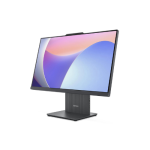
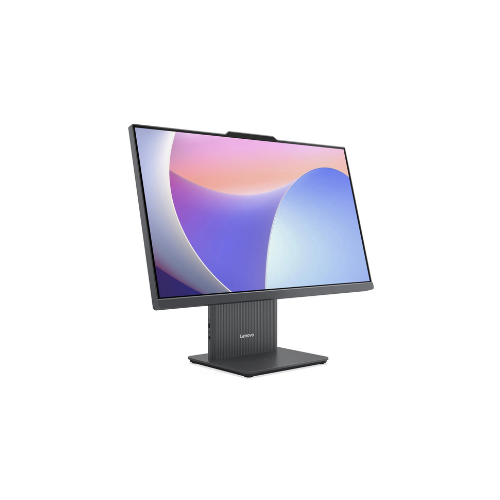
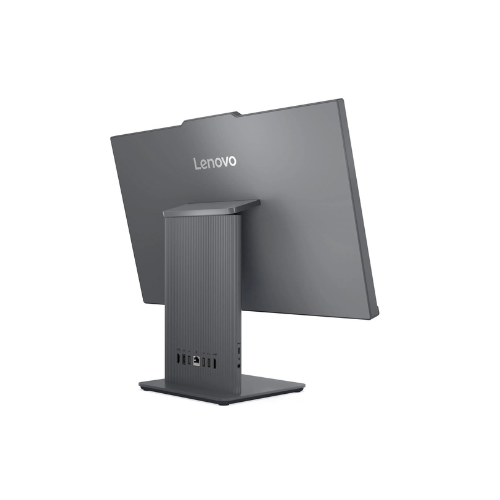
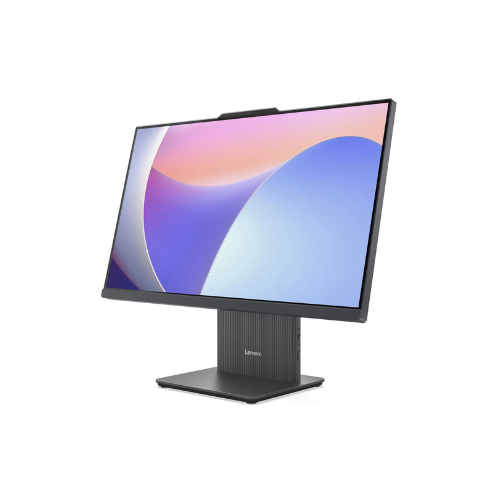
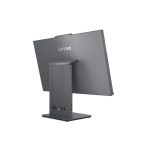

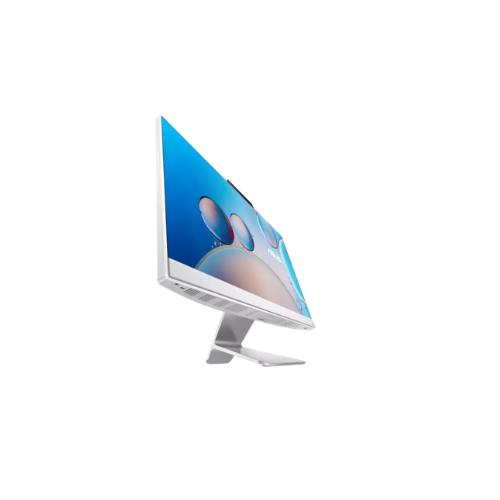
Lenovo IdeaCentre AIO 24IRH9 Intel Core i5 13420H 8GB DDR5 5200 512GB SSD
Key Features
Brand~Lenovo
Display: 23.8-inch Full HD (1920 x 1080) IPS touchscreen
Processor: Intel Core i5 13420H (13th Gen)
Memory: 8GB DDR5 RAM (5200 MHz)
Storage: 512GB PCIe 4.0 NVMe SSD
Graphics: Integrated Intel Iris Xe Graphics
Operating System: Windows 11 Home
Webcam: 5.0MP HD camera
Audio: Dual 3W Harman speakers with Dolby Audio
1 Year Warranty
Lenovo IdeaCentre AIO 24IRH9 F0HN003TUE Review: A Professional Space-Saving Desktop Workstation
The Lenovo IdeaCentre AIO 24IRH9 model F0HN003TUE delivers a balance of computing performance, display area, and integrated desktop efficiency. Equipped with an Intel Core i5 H-series processor, a 23.8-inch display, and modern DDR5 memory, this all-in-one desktop handles data analysis, administrative management, and multitasking workloads efficiently. [1, 2, 3, 4, 5]
What makes this specific configuration a powerful computing asset is its compact, single-cable footprint paired with capable hardware. It integrates a high-performance H-series mobile processor into a sleek monitor chassis, eliminating the need for a separate desktop tower. This space-saving design ensures reliable, everyday productivity for professionals who require a clean, modern workspace without sacrificing processing capability.
This review evaluates the hardware profile for managing demanding professional tasks, office operations, and enterprise software configurations.
Key Hardware Specifications
-
- Processor: Intel Core i5 13420H 13th Generation, up to 4.60 GHz, 8 Cores, 12 Threads
- Memory: 8GB DDR5 5200MHz RAM
- Storage: 512GB SSD M.2 2280 PCIe 4.0×4 NVMe
- Operating System: Windows 11 Home pre-installed
- Display: 23.8-inch Full HD 1920 x 1080 IPS, Anti-glare
- Model Number: F0HN003TUE
Hardware Analysis for Advanced Professional Workflows
Office workflows and data tracking require specific hardware capabilities to prevent system slowdowns during multi-tab web browsing and database operations.
Processing Efficiency
The Intel Core i5 13420H processor utilizes a hybrid architecture featuring 4 Performance cores and 4 Efficient cores. Unlike standard low-power laptop processors, the H-series designation signifies a higher power limit, allowing the system to sustain maximum processing speeds longer. The performance cores handle resource-heavy operations like technical calculations, while the efficient cores manage background tasks to maintain smooth system response times.
Modern DDR5 Memory Performance
Model F0HN003TUE features 8GB of DDR5 5200MHz RAM. Operating on the latest high-frequency memory standard, this configuration transfers data significantly faster than older DDR4 architectures. This bandwidth improvement reduces processing friction when interacting with data analytics suites, local applications, and cloud-based software platforms.
PCIe 4.0 NVMe Storage
The 512GB M.2 2280 solid-state drive operates on the PCIe 4.0×4 NVMe standard. This standard-size hardware interface ensures fast read and write speeds. It accelerates system boot times, large file transfers for system backups, and data loading speeds during standard office operations.
Integrated 23.8-Inch Display
The 23.8-inch screen features a Full HD resolution with an IPS panel, providing wide viewing angles and accurate color reproduction. The anti-glare coating reduces eye strain during long working sessions, while the large screen area allows for comfortable side-by-side window snapping when comparing documents or managing spreadsheets
Optimizing the Environment for Peak Performance
Tailoring the pre-installed Windows 11 Home software environment allows professionals to maximize system response times and minimize hardware resource drain.
Cleaning and Resource Allocation
Because this system comes pre-installed with Windows 11 Home, managing background applications is essential to free up memory. Uninstalling unneeded manufacturer trial software and turning off launch-on-boot applications in the Windows Task Manager ensures that the 8GB RAM pool remains fully available for production software.
Browser Optimization for Web Applications
Modern web applications use heavy JavaScript to process real-time reporting within administrative interfaces. For optimal performance:
-
- Use Chromium Engines: Google Chrome, Brave, or Microsoft Edge offer the best compatibility with modern web applications.
- Enable Hardware Acceleration: Activating this setting allows the integrated Intel UHD graphics platform to render complex visual data charts smoothly.
- Activate Tab Discarding: Utilize native browser memory management features to automatically hibernate inactive tabs and conserve system RAM.