Brother Printers
 WhiteBoard
 IP PBXs





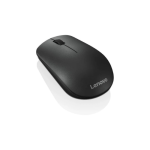
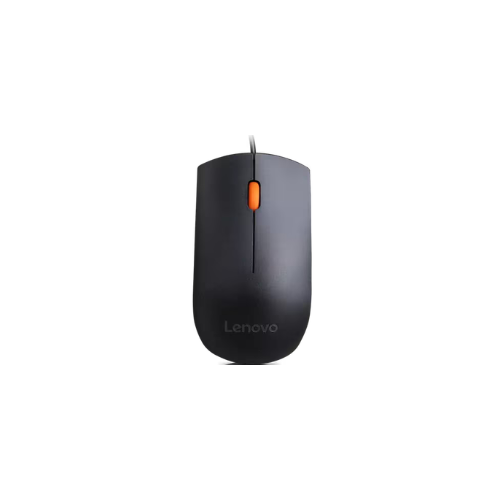

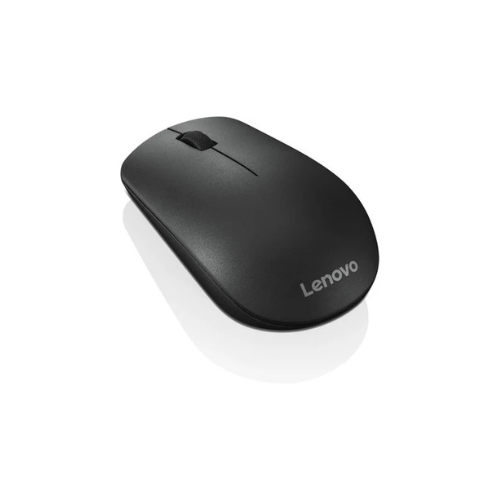
Lenovo 150 Wireless Mouse – Black – GY51L52638
Key Features
Brand: Lenovo
Connectivity: 2.4G wireless via USB-A dongle
Buttons: 3 buttons w/o programmable
Buttons life: Left/right: 3,000,000 cycles, middle/encoder: 300,000 cycles, power: 3,000 cycle
DPI: 1000
Sensor: LED optical sensor
Battery Life: 6 months with AA batter
Ship group: Mouse, warranty, user guide, AA battery
1 Year Warranty
Lenovo 150 Wireless Mouse GY51L52638 Review: A Reliable Professional Input Peripheral
The Lenovo 150 Wireless Mouse (model GY51L52638) delivers a balance of ergonomic comfort, cordless mobility, and plug-and-play simplicity. Designed as a dedicated input device for professional workstations and mobile business laptops, this optical mouse handles daily data entry, spreadsheet navigation, and routine document processing efficiently.
What makes this specific peripheral a reliable computing asset is its universally compatible wireless design paired with an accurate tracking engine. It integrates a high-resolution optical sensor into a symmetrical, lightweight chassis, eliminating desk clutter and cable management restrictions. This wireless architecture ensures continuous, lag-free navigation for professionals who require a clean, functional workspace and reliable pointing accuracy on the go.
This review evaluates the hardware profile for managing everyday administrative tasks, office operations, and enterprise hardware environments.
Key Hardware Specifications
- Sensor Type: High-resolution optical tracking engine
- Resolution: 1000 DPI sensitivity precision
- Connectivity: 2.4 GHz wireless interface via Nano USB receiver
- Battery Type: 1 x AA battery power source
- Design: Ambidextrous symmetrical form factor
- Buttons: 3-button layout Left click, Right click, and clickable Scroll wheel
- Color: Business Black
- Model Number: GY51L52638
Hardware Analysis for Reliable Professional Input
Enterprise data management and routine office operations require robust input devices to maintain consistent workflow speed without hardware-induced interruptions.
Tracking Precision and Sensitivity
The integrated optical tracking engine features a 1000 DPI resolution sensor. This sensitivity level provides precise cursor control across high-definition displays, allowing for accurate pixel targeting inside spreadsheets, text documents, and professional interface layouts without requiring excessive physical hand movement.
Ambidextrous Symmetrical Design
The chassis features a full-size ergonomic arc shape that fits comfortably in the hand, reducing repetitive strain during long working cycles. Its completely symmetrical layout ensures identical tactile response and comfort for both left-handed and right-handed professionals, standardizing hardware deployments across corporate offices.
Cordless 2.4 GHz Wireless Interfacing
The inclusion of a compact 2.4 GHz Nano USB receiver provides a stable, lag-free wireless connection with an operational range of up to 10 meters. Operating on a dedicated wireless frequency, the device completely removes desk cable clutter and provides the tracking freedom needed when working alongside compact laptops or in shared hot-desking environments.
Tactile Functionality
The 3-button layout incorporates dedicated left and right click zones alongside an integrated mechanical scroll wheel. The scroll wheel offers distinct tactile feedback for controlled scrolling through long data matrices, web interfaces, and large organizational documents, doubling as a programmable third click button for specialized shortcuts.
Optimizing the Hardware Setup for Daily Workloads
Deploying the Lenovo 150 wireless mouse within an enterprise ecosystem requires zero software configuration, ensuring immediate integration into professional hardware setups.
Zero-Driver Operating System Deployment
The mouse utilizes standard HID driver compliance protocols, making it instantly compatible with Windows 11, Linux, and macOS platforms. Inserting the Nano receiver into an available USB Type-A port immediately activates full tracking functionality without executing background setup processes or unneeded manufacturer software utilities.
Interface Customization via System Settings
To adapt the 1000 DPI sensor tracking speed to custom desktop monitors or multi-display arrangements:
- Windows Settings: Navigate to the hardware and mouse configuration menus to fine-tune pointer velocity to match your specific scanning speed preferences.
- Scroll Speed Calibration: Adjust the vertical scroll line setting inside the system controls to optimize document scrolling rates for large data audits.
- Button Remapping: Utilize native operating system accessibility panels to flip the primary clicking assignments if setting up the device for left-handed deployment