Brother Printers
 WhiteBoard
 IP PBXs





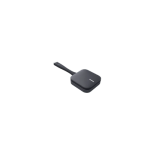
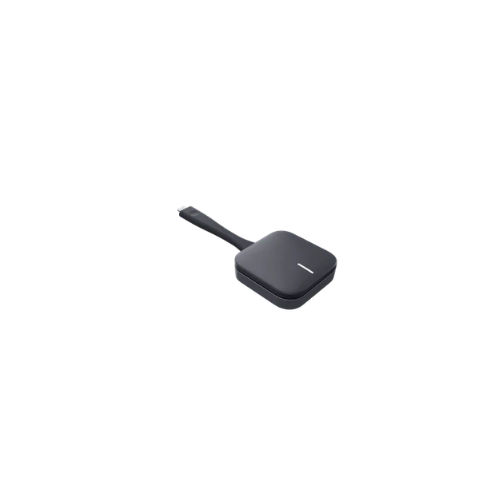

Huawei Dongle – Ideashare Key(Type-USB)
Key Features
Brand: Huawei
Interface: USB Type-A for wide device compatibility
Function: Wireless screen sharing at the click of a button
Compatibility: Tailored for Huawei IdeaHub series
Connectivity: Stable and secure wireless projection
Ease of Use: Plug-and-play with no software installation
Application: Ideal for business meetings and classrooms
1 Year Warranty
Huawei IdeaShare Key Type A Wireless Projection Dongle
Effortless screen sharing is critical for maintaining presentation momentum, eliminating technical delays, and fostering real-time collaboration. The Huawei IdeaShare Key (Type-A variant) is a premium, enterprise-grade wireless projection dongle designed for modern hybrid workspaces [IHB3-86SA]. Engineered as a plug-and-play hardware solution for laptops with standard USB ports, this compact transmitter allows users to share high-definition content directly onto compatible interactive displays—such as the Huawei IdeaHub series—without configuring local network profiles or installing complex software applications [IHB2-75PU, IHB3-86SA].
True Plug and Play Presentation Performance
The Huawei IdeaShare Key Type-A removes operational friction from corporate meetings by replacing traditional display cables and configuration steps with a simple, single-action connection.
-
- Driverless Execution: Requires zero application installation, administrator privileges, or manual driver setups on your host machine.
- Instant Pairing: Syncs automatically with the destination smart board upon physical insertion, establishing a secure connection within seconds.
- Single Touch Control: Features a responsive, central hardware button that activates or pauses the screen projection instantly with a single press.
- Status LED Indicator: Provides immediate visual feedback regarding connection readiness, active projection states, and pairing errors.
High Definition Resolution and Low Latency
Unlike entry-level casting protocols that suffer from video compression artifacts and noticeable input lag, the IdeaShare Key utilizes advanced encoding hardware to maintain pristine media quality over standard USB data channels.
Sharp Video Projection
Capable of transmitting smooth, crisp video signals directly from a computer desktop. This ensures that fine document text, financial spreadsheets, and presentation slides remain sharp and legible on massive displays [IHB2-75PU, IHS2-65SA].
High Fidelity Audio Synchronicity
Maintains flawless synchronization between video frames and accompanying audio channels, routing presentation sound directly through your professional meeting room speakers [IHB3-86SA].
Rapid Touch Response
Features ultra-low transmission latency, providing an immediate response when scrubbing through presentations, playing videos, or running software demonstrations.
Enterprise Grade Wireless Bandwidth and Data Protection
The digital workplace demands robust wireless stability and strict data defense protocols to protect corporate assets from unauthorized access.
-
- Dual Band Wi-Fi 6 Framework: Leverages high-frequency wireless lanes to deliver an insulated, high-bandwidth streaming pipeline that resists interference in crowded corporate towers.
- Isolated Peer to Peer Networking: Establishes a secure direct bridge to the smart board display, allowing visiting clients to project content without logging into the primary corporate network [IHB3-86SA, IHS2-65SA].
- Advanced Encryption Standards: Protects your transmitted video and audio data using enterprise-grade cryptographic protocols, preventing over-the-air signal interception or malicious eavesdropping.
Advanced Two Way Workflow Collaboration
The Type-A variant of the IdeaShare Key serves as an essential bridge for cooperative environments, expanding the functional capabilities of your personal computer [IHB3-86SA, IHS2-65SA].
-
- Bi Directional Data Highway: Carries the display output from your laptop to the smart board while simultaneously sending raw inputs back to your device [IHB2-75PU, IHS2-65SA].
- Reverse Screen Navigation: Allows presenters to navigate apps, scroll pages, and edit active documents directly from the interactive touch panel without returning to their laptop [IHB2-75PU, IHB3-86SA].
- Simplified Presentation Control: Eliminates the need to walk back and forth to your laptop, allowing you to focus entirely on the audience and your content delivery.
Technical Specifications
-
- Physical Connector Interface: Standard USB Type-A data port configuration
- Video Output Resolution: Optimized high-definition output suitable for modern commercial applications [IHS2-65SA]
- Wireless Standards Architecture: High-speed Wi-Fi 6 dual-band protocol [IHB3-86SA, IHS2-65SA]
- Operating System Compatibility: Natively supports Windows 10, Windows 11, and macOS systems [IHB2-75PU]
- Chassis Profile Geometry: Slim, lightweight circular disc footprint with integrated flexible connection tail
Frequently Asked Questions
Does the Huawei IdeaShare Key Type-A require an active internet connection to work
No. The dongle utilizes built-in Wi-Fi hardware to create a local, peer-to-peer wireless bridge directly with the IdeaHub display [IHB3-86SA, IHS2-65SA]. It does not require internet access, routing equipment, or external local area network connections to project your screen.
What is the main difference between the Type-A and Type-C IdeaShare Keys
The Type-C version relies on modern ports that natively support alt-display video output. This Type-A version is designed specifically for standard, traditional USB ports found on almost all laptops, making it highly versatile for environments with mixed generations of computer hardware.
How many IdeaShare Key dongles can be paired to a single display panel
Multiple IdeaShare Keys can be paired to a single intelligent collaboration display. While only one presenter projects at a time in full-screen mode, or up to four simultaneously in split-view grids, other users can keep their keys plugged in and ready to take over the screen instantly [IHB2-75PU, IHS2-65SA].
Does the device drain my laptop battery excessively during long meetings
The dongle is engineered using low-power, high-efficiency system-on-chip components. It draws negligible power from your host laptop’s USB interface, allowing you to run hours of collaborative strategy sessions without significantly impacting battery longevity.
How do I pair the IdeaShare Key with the IdeaHub for the first time
The pairing process is fully automated. Simply insert the Type-A connector into the front interface hub of your running Huawei IdeaHub display [IHB2-75PU, IHS2-65SA]. The smart board will display a synchronization prompt, and within a few seconds, the LED indicator on the key will solidify, signaling that the device is paired and ready for your laptop.