Brother Printers
 WhiteBoard
 IP PBXs





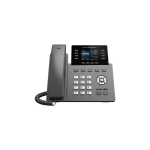
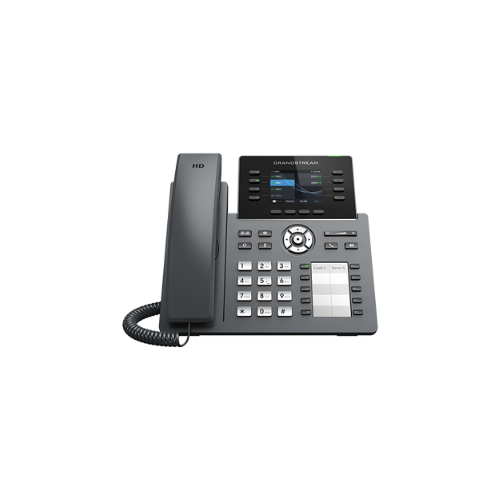

Grandstream GRP2634 IP Phone
Key Features
Brand: Grandstream
8 lines, 12 SIP accounts
Supported by GDMS which provides a centralized interface to configure, provision, manage and monitor Grandstream devices
RJ9 headset jack allowing EHS with Plantronics headsets, and integrated USB Headset support
Integrated Bluetooth to connect headsets, sync contacts, calendars and more
Full-duplex speakerphone with HD audio to maximize audio quality
and clarity
Equipped with noise shield technology to minimize background
noise
Dual switched autosensing 10/100/1000 Mbps Gigabit Ethernet ports with integrated PoE
Supports 5-way audio conferencing for easy conference calls
Enterprise-level protection including secure boot, dual firmware images, and encrypted
Swappable faceplate to allow for easy logo customization data storage
Integrated dual-band (2.4GHz and 5GHz) Wi-Fi 6 (802.11a/b/g/n/ac/ax) – hardware version 5.0 and above
1 Year Warranty
Grandstream GRP2634 IP Phone Review and Technical Overview
Line Keys: 8 Physical Keys with up to 32 Programmable Keys
SIP Accounts: 4 Session Initiation Protocol Accounts
Wireless Modules: Integrated Dual Band Wi-Fi and Bluetooth 5.0
Network Interfaces: Dual Switched Auto Sensing 10/100/1000 Mbps Gigabit Ports
Power Hardware: Integrated Power over Ethernet Support
Audio Quality: Full HD Wideband Audio with Noise Shield Technology
Chassis Design: Integrated Side Key Layout Panel
Management Suite: Grandstream Device Management System Cloud Provisioning
- Match the physical phone stand with the connection slots on the underside of the phone body.
- Snap the stand legs in, selecting either the steep or flat angle slot position to control screen tilt.
- Plug the long straight end of the coiled handset cord into the phone jack marked with a handset emblem.
- Insert the opposite end of the coiled cord deep into the base socket of the handset piece.
- Connect a standard Ethernet network cable from an active office wall jack to the LAN port on the phone back.
- The phone hardware will draw electrical operating power straight through the data cable if your network utilizes a Power over Ethernet switch.
- The display screen will light up and begin loading the operational system automatically.
- Pass your local wired network signal through to a desktop computer terminal by linking a second Ethernet cable from the phone PC port to your computer towe