Brother Printers
 WhiteBoard
 IP PBXs





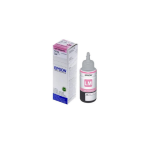
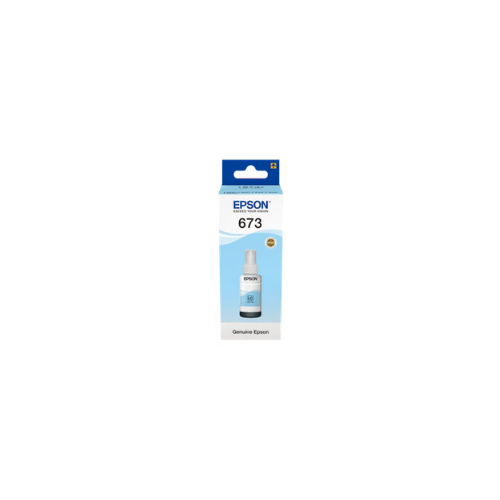

Epson T6735 EcoTank Light Cyan Ink Bottle 70.0 ml
Key Features
Brand:Epson
Ink Colour(s): Light Cyan.
Model Code: T6735
Product Series:Ink Cartridge
Product Type: Ink Cartridge.
Total: 1 Piece(s).
Capacity: 70 ml.
Yield: 6400 Pages
1 Year Warranty
Epson T6735 EcoTank Light Cyan Ink Bottle 70.0 ml
The Epson T6735 Light Cyan Ink Bottle (70ml) is a genuine, dye-based photo ink designed specifically for the Epson EcoTank 6-color ink system. It is engineered to produce vibrant, professional-level glossy photos and high-resolution color graphics at an ultra-low cost.
Key Specifications
-
- Product Name: Epson T6735 Light Cyan Ink Bottle.
- Model Number: C13T67354A.
- Ink Type: Dye-based photo ink.
- Volume: 70 ml.
- Photo Yield: Approximately 1,800 to 1,900 photos (10x15cm size).
- Page Yield: Estimates vary between 4,000 and 6,000 pages depending on methodology.
- Features: Spill-free bottle design, smudge-resistant output, and archival-quality results.
Hardware Compatibility
This ink bottle is designed for use with Epson EcoTank and ITS (Ink Tank System) 6-color photo printers. Supported models include:
-
- L-Series: L800, L805, L810, L850.
- Wide Format: L1800.
Refilling Instructions
The Epson EcoTank system is designed for mess-free refilling
-
- Preparation: Open the ink tank cover on the printer and remove the cap for the light cyan tank.
- Bottle Setup: Twist or unscrew the cap of the T6735 bottle.
- Alignment: Position the bottle over the correct filling port. Many models feature a key-lock design where the bottle nozzle only fits the corresponding color tank.
- Filling: Insert the bottle upside down; ink will typically flow automatically without needing to squeeze the bottle and will stop when the tank reaches the upper line.
- Completion: Remove the bottle, replace its cap if any ink remains, and close the printer’s tank cap and compartment cover.
Frequently Asked Questions
- How should I store the ink? Store in a cool, dry place away from direct sunlight.
- What is the difference between T6735 and T6732? T6735 is Light Cyan, whereas T6732 is the standard Cyan ink in the same 6-color series.
- Why use genuine Epson ink? Original ink is formulated to ensure flawless printhead performance and protect the longevity of your hardward