Brother Printers
 WhiteBoard
 IP PBXs





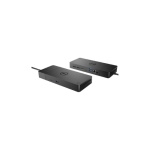
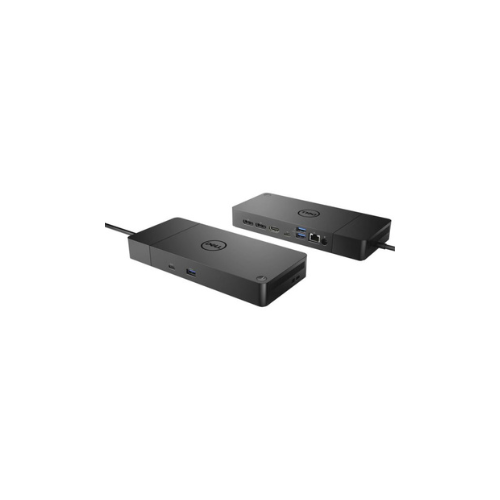

Dell WD19S 130W Docking Station-WD19S-130W
Key Features
Brand: Dell
Product Type: Docking Station
Display Support: For a HBR2* PC: 2x FHD @ 60Hz | 1x QHD @ 60Hz | 1x 4K @ 30Hz | For a HBR3 PC: 3x FHD @ 60Hz | 2x QHD @ 60Hz | 1x 4K @ 60Hz | For HBR3 PC supporting Display Stream Compression: 3x QHD @ 60Hz | 2x 4K @ 60Hz
Max Resolution: 4K @ 60Hz
Video interfaces: 2x Full size DP1.4 | 1x HDMI | 1x MFDP USB-C
USB Ports: 3x USB-A 3.2 Gen 1 | 2x USB-C 3.2 Gen 2
Networking Gigabit: Ethernet
Security Slot Type (cable lock sold separately): 1x Kensington lock slot | 1x Noble Wedge lock slot
LED Indicators: Power Adapter LED | Power Button LED | RJ45 LEDs
1 Year Warranty
Ultimate Guide to the Dell WD19S 130W Docking Station
The Dell WD19S 130W Docking Station is a premium connectivity hub designed to boost productivity for business professionals and remote workers. This commercial-grade USB-C docking station transforms your laptop into a full desktop workstation. It delivers reliable power, high-speed data transfers, and multi-display support.
Why Choose the Dell WD19S 130W Docking Station?
Modern professionals need an efficient workspace that eliminates cable clutter and maximizes performance. This docking station serves as the ultimate link between your portable laptop and a permanent desktop setup. By using a single connection, you gain immediate access to external monitors, high-speed internet, keyboards, mice, and external storage.
Investing in this commercial-grade hardware ensures future-proof compatibility and enterprise-level reliability. It reduces daily setup time to seconds, allowing you to focus entirely on your core business tasks.
Key Features and Specifications
High-Speed Connectivity
The station utilizes a high-bandwidth USB-C cable to connect to your laptop. It features multiple ports to link all your peripherals seamlessly. You get access to several USB ports, network connections, and audio outputs.
Robust Power Delivery
This model comes equipped with a 130W power adapter. It delivers up to 90W of power directly to your connected laptop. This ensures your device stays charged during intensive work sessions.
Advanced Video Support
Boost your visual workspace by connecting multiple monitors. The dock supports dual Full HD monitors or a single Quad HD display. This feature allows for seamless multitasking across various applications.
Strategic Benefits for Business and Home Offices
- Future Proof Design : The modular architecture allows you to upgrade the connectivity module easily without replacing the entire dock.
- Streamlined Workspace : One single cable handles power, video, and data to eliminate desk clutter.
- Optimized Productivity : Fast charging capabilities ensure your laptop battery reaches maximum capacity quickly.
- Enterprise Management : Supports advanced deployment features like PXE Boot and MAC Address Pass-Through for IT departments.
Compatibility and Setup
System Requirements
The dock is optimized for Dell Latitude, Precision, and XPS laptops. It also works with non-Dell systems that support DisplayPort over USB-C or Thunderbolt protocols.
Easy Installation Steps
Connect the 130W power adapter to the dock and a wall outlet. Plug the attached USB-C cable into your laptop. The operating system will automatically install the necessary drivers. Connect your monitors and external devices to begin working immediately.
Frequently Asked Questions
What is the difference between Dell WD19 and WD19S?
The WD19S model is a streamlined version that excludes the 3.5mm audio ports. This adjustment was made to streamline global supply availability while keeping all core video, data, and power features identical.
Can the Dell WD19S 130W charge my laptop?
Yes, the included 130W power adapter allows the dock to deliver up to 90W of continuous power directly to your laptop through the USB-C cable.
Does this docking station work with non-Dell laptops?
Yes, the station is built on industry-standard USB-C protocols. It will function with commercial laptops from other brands that support video and power delivery over USB-C.
How many monitors can I connect to the WD19S?
You can connect up to two Full HD monitors at a 60Hz refresh rate, or a single Quad HD monitor, depending on the graphics capability of your connected laptop.