Power Banks


 Brother Printers


 IP PBXs



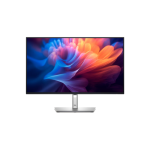
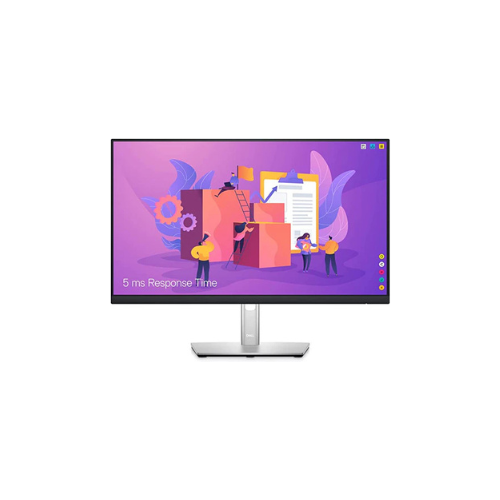
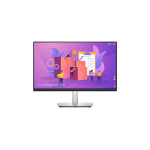


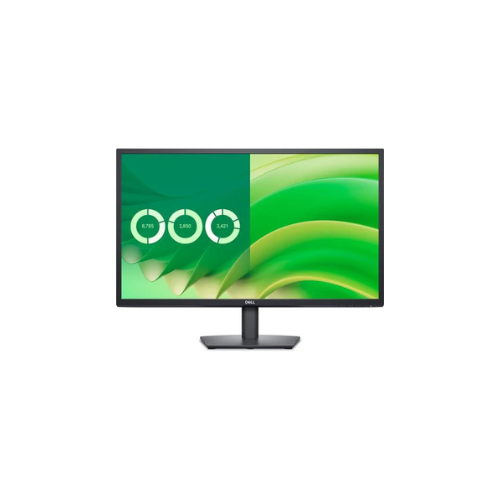
Dell P2422H 23.8″ Full HD LED LCD Monitor
Key Features
Brand: Dell
Optimize eye comfort with ComfortView Plus
Pivot, tilt, swivel, and adjust the height of your monitor for a comfortable setup all day long
Hide cords in the monitor riser to keep things organized
Easily connect to a variety of devices with extensive connectivity ports
The three-sided ultrathin bezel design lets you enjoy an uninterrupted view of your content across multiple monitors
1 Year Warranty
Dell P2422H Review: Ultimate 23.8-Inch Full HD Professional IPS Monitor Guide
The Dell P2422H stands out as a premier choice for high-productivity corporate offices, modern workstations, and multi-display desktop configurations. This 23.8-Inch Full HD LED LCD Monitor delivers exceptional visual clarity and extensive connectivity options. It combines a sleek, small-footprint design with comprehensive ergonomic mechanical adjustments. This guide provides optimized insights to help this content rank at the top of search engine results pages.
Modern workplace efficiency requires a deliberate balance of workspace organization, display clarity, and physical user comfort. Outfitting busy corporate departments or technical cubicles with rigid, poorly connected screens often leads to cable clutter and physical fatigue. The Dell P2422H addresses this gap by offering a highly flexible, business-optimized desktop solution. It bridges the gap between affordable enterprise procurement costs and professional-grade operational comfort.
As part of the renowned Dell Professional Series, this model is engineered to sustain continuous, intensive daily workloads. It operates seamlessly right out of the box with comprehensive plug-and-play architecture, facilitating rapid enterprise fleet rollouts. It delivers a rich 1920 by 1080 native resolution across a balanced 23.8-inch display canvas. This density choice ensures that email lines, complex data sheets, and technical system registries remain perfectly readable without scaling artifacts
Furthermore, this model integrates effortlessly with modern enterprise laptops, desktop towers, and legacy hardware systems. It features a robust connection bay that serves as a central device expansion hub on your desk. This layout helps minimize workspace clutter and simplifies the addition of local peripherals. By offering true color accuracy, low-glare visibility, and an advanced fully adjustable stand within a refined ultra-thin profile, this monitor yields superior daily efficiency
Key Technical Specifications
Evaluating the detailed hardware parameters reveals the underlying structural and processing strengths of this corporate monitor.
-
- Screen Size: 23.8 Inch diagonal active viewing area
- Panel Technology: In-Plane Switching IPS liquid crystal configuration
- Backlight Type: Power-efficient LED edge-lit system
- Native Resolution: Full HD 1920 by 1080 pixels
- Aspect Ratio: 16 by 9 widescreen presentation format
- Refresh Rate: 60 Hz standard office refresh rate
- Response Time: 5 ms fast mode and 8 ms normal mode gray-to-gray
- Brightness Level: 250 nits typical luminance output
- Static Contrast Ratio: 1000 to 1 deep image contrast
- Display Colors: 8-bit depth handling 16.7 million distinct shades
- Color Gamut: Wide profile covering 99 percent sRGB accuracy
- Viewing Angles: Complete 178 degrees horizontal and vertical fields
- Signal Input Ports: 1 x DisplayPort 1.2, 1 x HDMI 1.4, and 1 x VGA legacy port
- Integrated USB Hub: 1 x USB 3.2 Gen 1 upstream and 4 x USB 3.2 Gen 1 downstream ports
- Bezel Design: Three-sided ultrathin visual borders
- Stand Ergonomics: Height adjustment up to 150 mm, tilt, swivel, and 90-degree pivot rotation
- Mounting Standard: VESA pattern supporting 100 by 100 millimeter brackets
Standout Features and Performance Benefits
True IPS Panel Color Consistency
Washed-out color tracking and shifting can ruin data reading, image reviews, and presentation layouts. This model deploys premium In-Plane Switching panel architecture that handles color profiles accurately. Boasting 99 percent sRGB coverage, it reproduces vibrant, rich hues uniformly across the entire screen space. The consistent illumination prevents image degradation even when looking at the screen from off-center chairs.
Built-In SuperSpeed USB Connectivity Hub
Managing multiple cords for thumb drives, local keyboards, and mouse receivers makes desktop spaces messy and unorganized. This display incorporates a high-efficiency USB 3.2 Gen 1 expansion hub directly inside its chassis. Running a single upstream line to your computer activates four rapid downstream ports on the screen. It simplifies your hardware routine, letting you swap out desktop accessories instantly.
Complete Ergonomic Positioning Comfort
Improper monitor placement during long corporate shifts leads to chronic neck strain and posture fatigue. The included professional mounting stand features complete multi-axis mechanical adjustments. Users can slide the height up or down by 150 millimeters, tilt the visual pitch, swivel the base left or right, or rotate the screen a full 90 degrees into vertical orientation. Vertical layout is ideal for scrolling long text registries or scanning code fields.
Modern Three-Sided Ultrathin Bezel Layout
Bulky display frames create a clumsy appearance and interrupt visibility in multi-screen configurations. The housing incorporates an elegant three-sided ultrathin border layout across the top and side margins. This borderless aesthetic minimizes distracting gaps in dual-monitor setups, allowing your eyes to transition between screens seamlessly. The design maximizes your visual area while keeping the overall frame compact