Brother Printers
 WhiteBoard
 IP PBXs





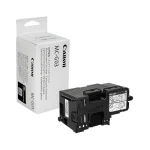
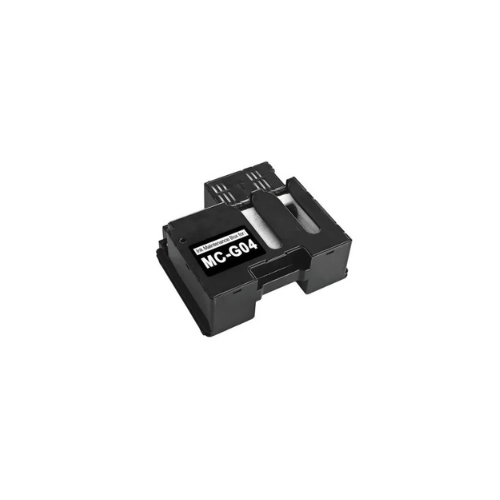
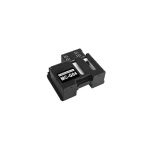

Canon MC-G04 Maintenance Cartridge-5813C001AA
Key Features
Brand: Canon
Easy user-replaceable design
Maintains print head health
Intelligent chip detection
Compact and lightweight
Supports high-volum Shop now for reliable maintenance
Canon MC-G04 Maintenance Cartridge-5813C001AA
The Canon MC-G04 Maintenance Cartridge is a genuine, user-replaceable waste ink collector designed to maintain print quality and protect internal components in compatible Canon PIXMA MegaTank printers. It captures excess ink generated during normal printing operations, printhead cleaning, and borderless maintenance cycles.
Key Functions and Benefits
- Ink Management: It safely absorbs and stores surplus ink to prevent internal buildup, ink leakage, and system clogging.
- Printer Protection: By managing waste ink, it protects delicate printer components from overflow damage and helps extend the overall lifespan of the device.
- User-Replaceable: Designed for easy, tool-free replacement by the user, minimizing downtime without requiring technical expertise.
- Maintenance Alerts: Compatible printers will typically provide a notification or error message (such as Support Code 1726) when the cartridge is full and needs replacement.
Specifications and Performance
- Part Number: MC-G04 / 5813C001AA.
- Page Yield: Offers a capacity of up to 10,000 pages , depending on usage patterns and printer maintenance frequency.
- Technology: Features intelligent chip technology to ensure seamless recognition and tracking by the printer.
Compatible Printers
The MC-G04 is engineered for specific PIXMA MegaTank and MAXIFY models. You may be particularly interested as you previously purchased a Canon Pixma G2430 , which is explicitly listed as a compatible model.
| Series | Compatible Models |
|---|---|
| PIXMA G-Series | G1230, G1430, G2270, G2430 , G2470, G3270, G3430, G3470, G4470 |
| MAXIFY G-Series | G1430, G2470, G4470 |
| Additional Models | G1330, G1530, G2570, G3370, G3471, G3570, G4570, G4670 |
Note: It is not compatible with models that use different cartridges, such as the PIXMA G3260, which requires the MC-G02.
Replacement Instructions
When your printer signals a replacement is necessary, follow these steps:
- Ensure the printer is powered on.
- Loosen the coin screw on the maintenance cover and remove the cover.
- Withdraw the full cartridge straight out.
- Insert the new maintenance cartridge straight until it stops.
- Reattach the maintenance cover, align the tabs, and secure it with the screw before turning the printer back on