Brother Printers
 WhiteBoard
 IP PBXs





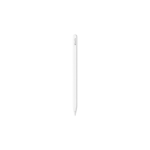
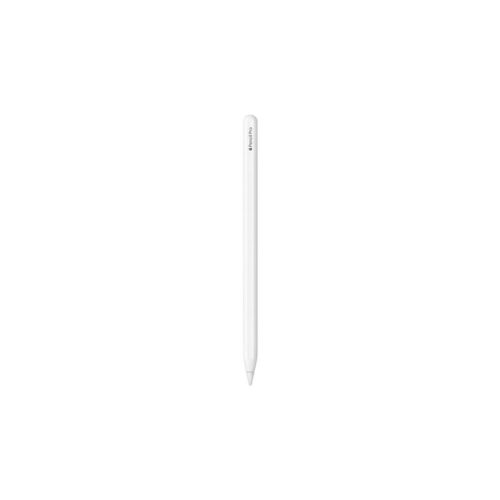

Apple Pencil Pro Stylus for iPad Pro M4 / Air M2 / iPad mini
Key Features
Brand: Apple
Sensors: Squeeze sensor, Gyroscope (for Barrel Roll).
Haptics: Custom haptic engine for gesture confirmation and tactile feedback.
Connectivity: Bluetooth.
Charging: Magnetic pairing and wireless charging.
Storage: Magnetic attachment to iPad side.
Precision: Pixel-perfect accuracy, low latency, pressure sensitivity, and tilt sensitivity.
Hover: Support for Apple Pencil hover preview.
Double-Tap: Touch-sensitive surface for tool switching.
1 Year Warranty
Apple Pencil Pro Product Guide
Comprehensive Product Overview
The Apple Pencil Pro is the most advanced stylus developed by Apple, engineered to provide ultimate creative control and professional precision. It is specifically designed to work with the high-performance hardware of the newest iPad generations, transforming the tablet into a powerful digital canvas for artists, designers, and students.
This professional tool introduces a set of intuitive hardware-level sensors, including a gyroscope and a custom haptic engine, to make digital interaction feel more natural and responsive. It serves as a critical productivity anchor by streamlining workflows through gesture-based tool switching and precision hover previews.
Key Features
- Squeeze Gesture : Built-in sensors detect when you squeeze the barrel, immediately bringing up a new onscreen palette to switch tools, colors, or line weights.
- Barrel Roll : A dedicated gyroscope allows for precise rotation of the pencil to control shaped pen and brush tools, providing more natural artistic strokes
- Precision Haptic Feedback : A custom haptic engine provides subtle, physical pulses to confirm actions like squeezing, double-tapping, or snapping objects into place.
- Apple Pencil Hover : Preview exactly where the tip will touch the display with a virtual shadow of your tool, allowing for high-precision illustrating and sketching.
- Find My Integration : The first Apple Pencil to support the Find My app , allowing users to easily locate a misplaced or lost pencil.
- Zero-Latency Performance : Features pixel-perfect accuracy, low latency, and full sensitivity to both pressure and tilt for a natural pen-on-paper feel.
Technical Specifications
- Model : Apple Pencil Pro (MXK63AM/A).
- Compatibility : Exclusively for iPad Pro 11-inch and 13-inch (M4 and M5), iPad Air 11-inch and 13-inch (M2, M3, and M4), and iPad mini (A17 Pro).
- System Requirements : Requires iPadOS 17.5 or later.
- Dimensions : 166 mm in length and 8.9 mm in diameter.
- Weight : 19.15 grams.
- Connectivity : Magnetic pairing and wireless charging via the iPad’s side magnetic connector.
Key Benefits
- Efficient Workflow : Optimized for professional creative apps like Procreate, Adobe Fresco, and Goodnotes 6, allowing users to stay in their flow without manual tool adjustments.
- Seamless Maintenance : Features swappable tips that can be easily unscrewed and replaced if worn down, ensuring long-term performance.
Frequently Asked Questions
- How do I pair and charge it? Simply attach the Apple Pencil Pro to the magnetic connector on the side of your compatible iPad. It will automatically pair and begin charging wirelessly
- Is it compatible with my older iPad? No. The Apple Pencil Pro is designed exclusively for the newest models (M4/M5 iPad Pro, M2/M3/M4 iPad Air, and iPad mini A17 Pro) and will not pair with earlier generations.
- What is the difference between Squeeze and Double-tap? Squeeze brings up a tool palette for deep customization, while a double-tap on the flat edge quickly switches between your current tool and the eraser.
- How do I find it if it’s lost? You can locate it through the Find My app on your iPad or iPhone, similar to how you would find an AirTag.