Brother Printers
 WhiteBoard


 IP PBXs





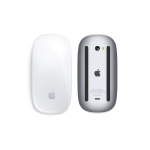
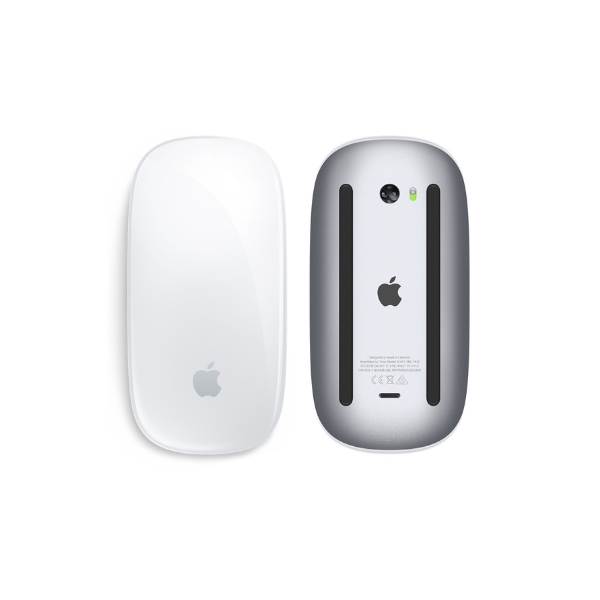

Apple Magic Mouse 4 USB-C
Key Features
Brand:Apple
Apple Magic Mouse USB-C features a sleek, multi-touch surface for gestures like scrolling and swiping
Apple Magic Mouse USB-C includes a USB-C port for convenient and modern charging
Apple Magic Mouse USB-C offers a wireless connection with smooth and responsive tracking
Apple Magic Mouse USB-C has a lightweight and minimalist design for easy portability
Apple Magic Mouse USB-C provides long battery life for extended use between charges
1 Year Warranty
Apple Magic Mouse (USB-C) Review
The Apple Magic Mouse (USB-C), often colloquially called the Magic Mouse 4 USB-C or Magic Mouse 3 refreshed, is Apple’s current flagship wireless mouse. This generation formally completes Apple’s modern device transition by dropping the legacy Lightning connector for a universal USB-C charging port. It remains the quintessential wireless accessory for Mac and iPad users who prefer minimalist desk layouts and intuitive gesture-based desktop navigation.
Technical Specifications
- Connectivity Bluetooth wireless technology + USB-C hardware interface
- Surface Type Seamless Multi-Touch glass canopy
- Tracking Technology High-precision laser engine
- Weight 99 grams
- Dimensions 4.47 x 2.25 x 0.85 inches
- Battery Longevity Up to 1 month or more on a single full charge cycle
- Charging Interface USB-C port located on the underside of the mouse belly
- System Prerequisites macOS 15.1 or later / iPadOS 18.1 or later for full capability
Key Features and Daily Performance
Universal USB-C Integration
The definitive upgrade for this device is the migration to a universal USB-C charging standard. This structural evolution allows you to use the exact same cable that powers your MacBook, iPad, and iPhone to charge your mouse. To protect against fraying and increase durability, Apple includes a premium, color-matched woven USB-C to USB-C cable inside the retail box.
Interactive Multi-Touch Gesture Top
The entire glossy upper canopy serves as a continuous, buttonless touch interface that handles native macOS and iPadOS system gestures. Without a mechanical wheel, you can scroll 360 degrees smoothly with a single finger, swipe laterally with two fingers to glide back and forth through web browser history pages, or double-tap to trigger Mission Control instantly.
Lightweight Frictionless Rail System
The underbelly houses an optimized parallel foot rail architecture engineered to reduce dragging resistance. By tuning the composite glide tracks and maintaining an ultra-lightweight 99-gram profile, the mouse moves smoothly across wood desks, leather mats, and computer trays with fluid tactile response.