Brother Printers
 WhiteBoard


 IP PBXs





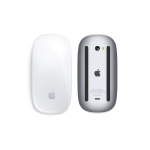
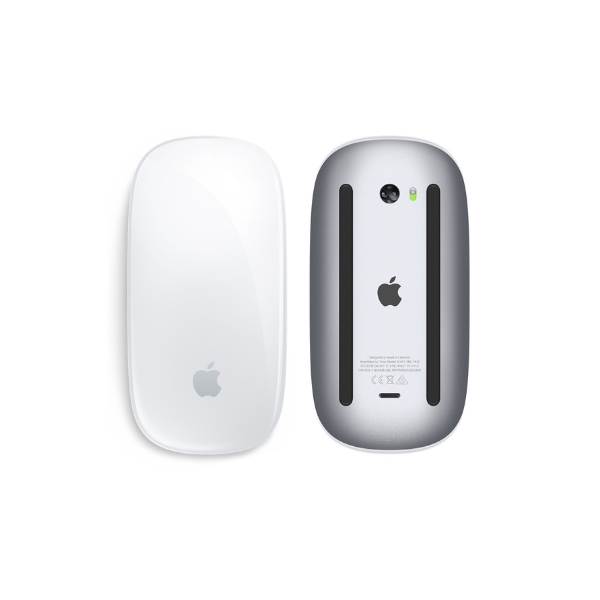

Apple Magic Mouse 2
Key Features
Brand:Apple
Bluetooth-enabled Mac with OS X 10.11 or later
iPad with iPadOS 13.4 or later
Black
USB-C to Lightning Cable
1 Year Warranty
Apple Magic Mouse 2 Review
The Apple Magic Mouse 2 is a highly sleek, low-profile wireless mouse engineered for seamless integration with macOS. Featuring a rechargeable lithium-ion battery, a smooth Multi-Touch surface, and automatic Bluetooth pairing, this mouse eliminates the need for traditional disposable batteries. It is designed specifically for Mac users who prioritize gesture-based navigation and a minimalist desk aesthetic.
Technical Specifications
- Connectivity Bluetooth wireless technology + Lightning port
- Tracking Technology Laser-based tracking engine
- Surface Type Seamless Multi-Touch glass top shell
- Battery Type Built-in rechargeable lithium-ion battery
- Battery Life Up to 1 month or more on a single full charge
- Charging Interface Lightning port located on the bottom of the mouse
- System Requirements
Bluetooth-enabled Mac computer running OS X v10.11 or later
- Weight & Dimensions 99 grams; 4.47 x 2.25 x 0.85 inches
Key Features and Daily Performance
Seamless Multi-Touch Gesture Surface
The standout structural feature of the Magic Mouse 2 is its continuous, buttonless top shell. The glass-like surface functions as a large trackpad, supporting native macOS Multi-Touch gestures. Users can swipe left or right to flip through web pages, scroll in any direction with a single finger, and double-tap with two fingers to access Mission Control instantly.
Re-engineered Lightweight Design
Unlike the first-generation model, the Magic Mouse 2 features a completely integrated internal power cell. By removing the removable battery door and its mechanical latches, Apple reduced the mouse’s overall weight and optimized its bottom feet glide tracks. The result is a smoother, more fluid slide across desks with noticeably less physical resistance.
Instant Automatic Mac Pairing
Setting up the device requires minimal effort. Simply slide the physical power toggle on the base to the on position, and your Mac will automatically detect and pair with the mouse over Bluetooth. The underlying wireless connection remains highly stable, ensuring lag-free tracking and continuous responsiveness during work hours.