Brother Printers
 WhiteBoard


 IP PBXs






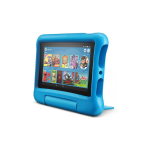
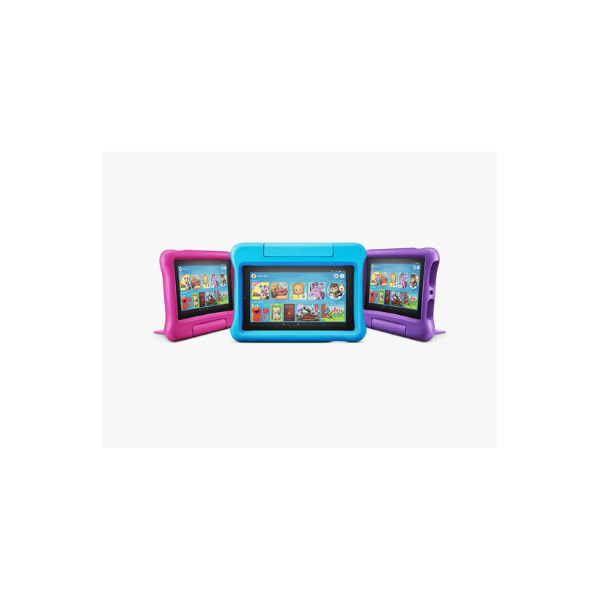

Amazon Fire HD 7 Kids Edition 7.0″ Kids Edition 1GB RAM 16GB 2MP
Key Features
Brand:Amazon
A full-featured 7″ tablet, with a kid-proof case,
16 GB of storage and up to 7 hours of battery life.
Set time limits and educational goals remotely from your smartphone using Amazon parent dashboard or the Kids Edition tablet.
Download content to watch and play on the go.
Add a microSD card for up to 512 GB of additional storage.
1 Year Warranty
Amazon Fire HD 7 Kids Edition Review The Ultimate Tablet for Children
Finding a durable, safe, and entertaining tablet for children can be challenging. The Amazon Fire HD 7 Kids Edition addresses these concerns directly by combining robust hardware with extensive parental controls. Featuring a 7.0-inch display, 1GB of RAM, 16GB of internal storage, and a 2MP camera, this device is specifically engineered to provide an engaging educational and entertainment platform for young minds.
Here is a comprehensive breakdown of the features, specifications, and capabilities that make this tablet a top choice for families.
Technical Specifications
- Display 7.0-inch touchscreen display
- Processor Quad-core processor
- Memory 1GB RAM
- Storage 16GB internal storage expandable up to 512GB via microSD card
- Cameras 2MP front and rear-facing cameras with 720p HD video recording
- Battery Life Up to 7 hours of reading, browsing the web, watching video, and listening to music
- Casing Kid-Proof Case included available in multiple vibrant colors
- Connectivity Dual-band Wi-Fi
Key Features and Enhancements
Built for Everyday Accidents
Children are notoriously tough on electronics. Recognizing this, the tablet comes bundled with a heavy-duty, lightweight Kid-Proof Case. This specialized bumper protects the device against drops, bumps, and typical wear-and-tear from daily handling. The case is ergonomically designed for smaller hands, offering a secure grip that reduces accidental drops.
Robust Storage Options
Age-Appropriate Content Ecosystem
Advanced Parental Controls
Key capabilities include:
- Time Limits Set exact daily screen time allowances or restrict access to specific times of the day
- Educational Goals Configure the tablet to block access to games and videos until daily reading or educational goals are completed
- Age Filters Adjust the content filters to ensure your child only sees material that matches their developmental stage
- Web Filtering Manage access to a highly curated selection of safe websites and web videos