Power Banks


 Brother Printers


 IP PBXs



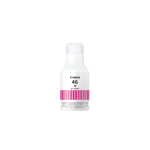
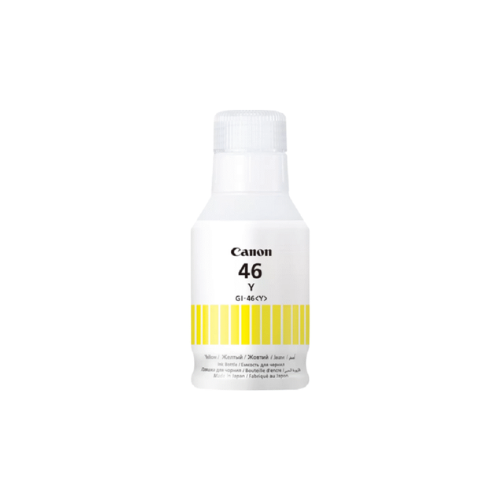


Canon GI-46 Yellow Ink Bottle
Key Features
Brand: Canon
Printer Type: Large Format Inkjet Printers
Container Type: Inkjet Cartridge
Yield Type: Standard
Color: Matte Black
Ink Type: Pigment-Based Black
Volume: 130 mL Each
Canon GI-46 Yellow Ink Bottle
The Canon GI-46 Yellow Ink Bottle is a high-capacity, pigment-based ink designed specifically for high-volume business printing in Canon MAXIFY GX-series MegaTank printers. This 135ml bottle is engineered to deliver vibrant yellow tones with professional-grade durability, making it ideal for business documents that must resist smudging, water, and highlighter friction.
Key Performance and Features
-
- High Page Yield: A full yellow ink bottle can print approximately 14,000 to 14,881 pages based on ISO/IEC standards.
- Pigment-Based Formulation: Unlike traditional dye-based inks, this unique pigment ink produces sharp, clear characters that do not blur even when wet or highlighted.
- Archival Quality: Designed for long-term stability, the ink resists fading and friction, ensuring business documents remain professional over time.]
- Fool-Proof Bottle Design: The bottle features improved, no-squeeze nozzles with a mechanical ID system (“key type nozzles”) to prevent refilling a tank with the wrong color.
Technical Specifications
-
- Ink Volume: 135 ml.
- Ink Type: Pigment-based Yellow.
- Weight: Approximately 110 to 115 grams.
- Yield Type: High Yield. [
Compatible Printer Models
This ink bottle is specifically engineered for the Canon MAXIFY GX series, including:
-
- MAXIFY GX3040
- MAXIFY GX4040
- MAXIFY GX5040
- MAXIFY GX6040
- MAXIFY GX7040
- MAXIFY GX7020 and GX6020
Refill Instructions
- Verify that your printer model is compatible with the GI-46 ink series.
- Open the yellow ink tank cover on the right side of the printer.
- Remove the tank cap and place it on the integrated holder if available.
- Align the bottle nozzle with the tank’s bottle guide and inlet.
- Stand the bottle upside down and fill gently; do not squeeze the bottle too hard to avoid spatters.
- Fill only up to the upper limit line on the tank.
- Remove the bottle and securely replace the tank cap and cover