Power Banks


 Brother Printers


 IP PBXs



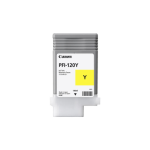
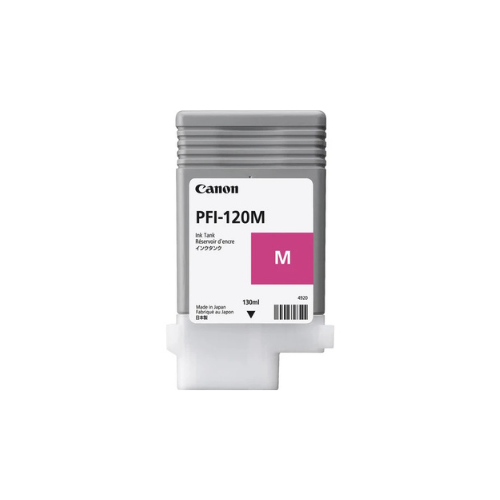


Canon PFI-120 Magenta Ink Cartridge 130ml
Key Features
Brand: Canon
Printer Type: Large Format Inkjet Printers
Container Type: Inkjet Cartridge
Yield: Type Standard
Color: Cyan
Ink Type: Pigment-Based Color
Volume: 130 mL Each
Compatibility: Canon imagePROGRAF
Designed For Use With:
Canon imagePROGRAF TM-200
Canon imagePROGRAF TM-300
Canon imagePROGRAF TM-300 MFP L36ei
Canon imagePROGRAF TM-300 MFP T36
Canon imagePROGRAF TM-300 MFP Z36
Canon imagePROGRAF TM-305
Canon PFI-120 Magenta Ink Cartridge (130ml)
The Canon PFI-120 Magenta Ink Cartridge (2887C001AA) is a high-capacity, original ink solution specifically designed for professional wide-format printing. Utilizing Canon’s advanced LUCIA TD pigment ink system, this 130ml cartridge is engineered to deliver sharp lines, crisp text, and vibrant color output with exceptional durability.
Professional LUCIA TD Pigment Technology
The PFI-120 Magenta cartridge leverages pigment-based ink technology to provide significant performance advantages over standard dye-based alternatives:
-
- Archival Durability: When used with water-resistant media, the LUCIA TD ink can withstand outdoor conditions and harsh construction sites.
- Vibrant Color Accuracy: Formulated to maintain consistent magenta tones and accurate color fidelity throughout the cartridge’s lifespan.
- Precision Output: The pigment formulation minimizes ink bleeding on both inkjet and non-inkjet paper, ensuring sharp vector lines for technical drawings and GIS maps
- Superior Fade Resistance: Pigment particles bond securely with paper fibers, offering enhanced UV and light resistance for many years of indoor display.
Operational Efficiency and High Yield
Designed for high-volume technical and creative environments, the PFI-120 series focuses on maximizing uptime:
-
- Hot-Swap Technology: Compatible printers support “hot-swap” functionality, allowing you to replace the ink cartridge mid-print without interrupting the current job or wasting media.
- Optimized Volume: The 130ml capacity reduces the frequency of replacements, making it ideal for architects, engineers, and print shops.
- Reliable Performance: Engineered to support stable ink flow and reduce the risk of printhead clogging, which helps maintain the longevity of your wide-format hardware.
Technical Specifications and Compatibility
-
- Product Code: 2887C001AA / PFI-120M.
- Color: Magenta.
- Volume: 130ml.
- Ink Type: Pigment-based.
- Yield Type: Standard yield.
Supported Printer Models
This genuine Canon cartridge is designed for seamless mechanical harmony with the following imagePROGRAF series:
-
- TM Series: TM-200, TM-205, TM-300, TM-305.
- TM MFP Variants: TM-200 MFP L24ei, TM-300 MFP L36ei, TM-300 MFP T36, TM-300 MFP Z36, TM-305 MFP T36, TM-305 MFP Z36.
- GP Series: GP-200, GP-300.
Replacement Procedure
The cartridge area is typically located under the screen of the plotter.
- Preparation: Ensure the printer is powered on. Open the ink tank cover.
- Removal: Press the tip of the ink tank lock lever for the magenta cartridge horizontally and pull the lever up. Remove the old tank by its grips.
- Handling: Store used tanks with ink holes facing up to prevent leakage, and place them in a plastic bag for disposal.
- Installation: Shake the new ink tank approximately 10 times. Gently insert the new tank into the correct slot until it clicks into place.
- Completion: Close the lever and the ink tank cover; the printer will automatically perform initial adjustments