Power Banks


 Brother Printers


 IP PBXs



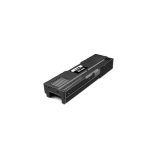
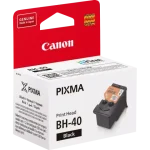
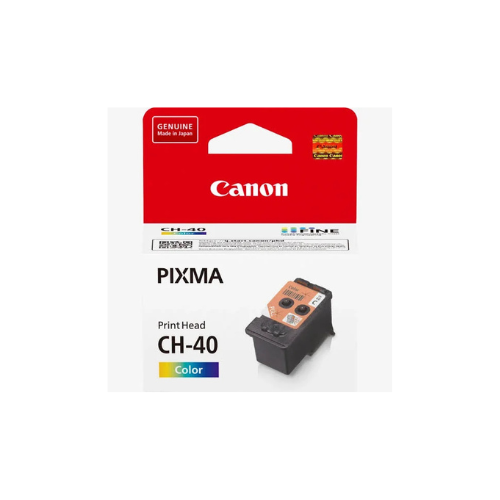


Canon CH-40 Print Head Color For G2420 / G3420 Printers
Key Features
Brand: Canon
Product Name: Canon CH-40 Color Print Head
Compatibility:
Canon G2420
Canon G2430
Canon G3420
Canon G3430
Technology: Inkjet
Ink Flow Optimization: Prevents smudges and ensures consistent distribution
Canon CH-40 Print Head Color For G2420 / G3420 Printers
The Canon CH-40 Color Print Head (part number 3430C001AA) is a genuine replacement part designed for the Canon PIXMA G-series MegaTank printers. It is specifically engineered to restore vivid, professional-quality color printing to home and office setups when original print heads become clogged, worn, or damaged.
Key Performance Features
-
- Precision Ink Distribution: Uses advanced technology to ensure balanced delivery of cyan, magenta, and yellow inks, resulting in high-impact brochures, photos, and everyday color documents
- Optimal Print Quality: Restores smooth ink flow to prevent streaks, banding, and color inconsistencies that often occur with older or faulty print heads.
- Smudge and Streak Prevention: Optimized ink channels ensure even density and prevent smudging or uneven output.
- Archival Performance: Built to produce vibrant, long-lasting color prints across various media including plain paper, graphics, and photos
Technical Specifications and Compatibility
-
- Page Yield: Provides an estimated yield of approximately 7,700 pages based on the composite yield of compatible MegaTank color ink sets
- Durability: While not strictly rated like ink cartridges, it typically supports tens of thousands of pages depending on usage and maintenance routines.
- Installation: Designed for quick, tool-free replacement, allowing users to restore performance without sending the printer to a service depot.
Compatible Printer Models
The CH-40 Color Print Head is versatile and works with a wide range of PIXMA G-series MegaTank printers:
-
- PIXMA G1000 Series: G1420, G1430.
- PIXMA G2000 Series: G2420, G2430, G2460, G2470.
- PIXMA G3000 Series: G3420, G3430, G3460, G3470, G3480.
- Additional Series: G4470, G5040, G6040, G7040, GM2040, and GM4040.
Maintenance Tips
Regular maintenance can extend the life of your CH-40 print head and ensure consistent output quality:
- Built-in Cleaning: Use the printer driver’s “Maintenance” tab to execute Cleaning or Deep Cleaning cycles if you notice missing lines or faded colors.
- Nozzle Checks: Print a nozzle check pattern regularly to identify potential clogs before they affect critical print jobs.
- Manual Cleaning: If built-in functions fail, use a lint-free cloth dampened with distilled water to gently wipe away dried ink from the removed print head.
- Ink Levels: Ensure you have enough ink in your MegaTank system; printing with insufficient ink can lead to improper nozzle checks or damaged print heads.