Brother Printers
 WhiteBoard
 IP PBXs





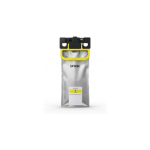
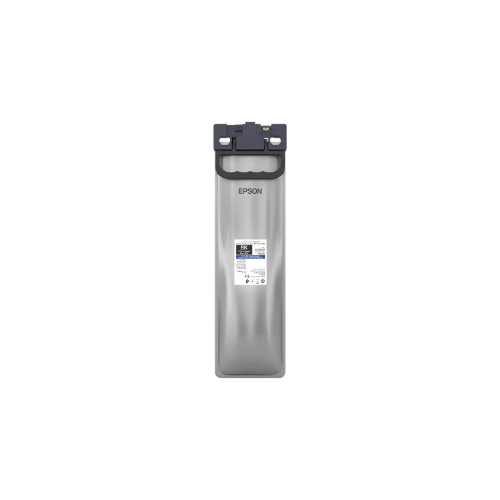

Epson T05A1 WorkForce Pro WF-C879R Black XL Ink Supply Unit 20,000 pages
Key Features
Brand:Epson
Up to 20,000 pages per cartridge
Ideal for high-volume office printing
Reduces cartridge replacement frequency and downtime
Crisp, deep black text for business documents
Consistent output across long print runs
Suitable for reports, invoices, and corporate documents
1 Year Warranty
Epson T05A1 WorkForce Pro WF-C879R Black XL Ink Supply Unit (20,000 Pages)
The Epson T05A1 Black XL Ink Supply Unit (Part Number C13T05A10N) is an industrial-scale monochrome printing solution designed for high-demand business environments. Engineered for the WorkForce Pro Replaceable Ink Pack System (RIPS) , this genuine Epson consumable delivers exceptional high-volume output while significantly reducing operational downtime.
Professional DURABrite Pro Pigment Technology
Utilizing advanced pigment-based chemistry, the T05A1 unit ensures every document meets professional standards for clarity and permanence.
- Durable Monochrome Output: Produces sharp, clear black text ideal for critical business documents like reports, contracts, and invoices.
- Archival Reliability: Printed materials demonstrate exceptional fade resistance for up to 200 years under controlled archival storage conditions.
- Smudge and Water Resistance: The pigment formulation provides immediate water resistance upon drying, protecting important documents from tampering or environmental exposure.
- Plain Paper Optimization: Specifically designed for improved printing on plain paper, ensuring ink penetrates firmly into fibers without feathering.
High-Capacity Yield and Efficiency
The XL capacity format is built for organizations that require long-lasting, cost-efficient printing solutions for large-scale production.
- Substantial Page Yield: Delivers an impressive yield of approximately 20,000 pages (based on ISO/IEC standards at 5% coverage)
- Reduced Interventions: High ink volume (approximately 373.2ml) minimizes the frequency of replacements, keeping printing costs low and production lines moving.
- Heat-Free Technology Integration: Optimized for Epson’s Heat-Free printing architecture, which eliminates warm-up time and reduces total energy consumption compared to laser alternatives.
- Advanced Monitoring: Features sophisticated chip technology that provides precise ink level monitoring and predictive alerts to avoid unexpected shortages.
Technical Specifications and Compatibility
| Feature | Specification |
|---|---|
| Product Code | C13T05A10N / T05A1 |
| Color | Black |
| Ink Type | DURABrite Pro (Pigment-based) |
| Ink Volume | 373.2 ml |
| Page Yield | Up to 20,000 ISO Pages |
| Operating Temp | 10°C to 35°C (50°F to 95°F) |
Compatible Printer Models
This genuine Epson ink unit is designed for seamless, tool-free installation in the following WorkForce Pro RIPS series:
- WorkForce Pro WF-C879R
- WorkForce Pro WF-C878R
Frequently Asked Questions
Why is this referred to as an “Ink Supply Unit” rather than a cartridge?
This unit is part of Epson’s RIPS technology, which utilizes high-capacity soft ink packs (or bags) instead of traditional hard plastic cartridges. This allows for significantly higher ink volumes in a more space-efficient format that reduces overall packaging waste.
Does this ink work well for double-sided printing?
Yes. The fast-drying DURABrite Pro pigment ink is tailored for high-speed offices where duplex (double-sided) printing is common, as it minimizes bleed-through and eliminates smudging between pages.
How do I install the T05A1 unit?
The unit is engineered for “hassle-free, tool-free installation.” Simply unlock the front cover of the printer and slide the ink pack tray out to swap the units. The integrated chip will automatically register the new supply levels once the tray is reinserted