Brother Printers
 WhiteBoard
 IP PBXs





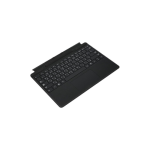
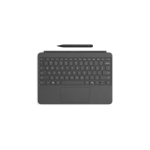
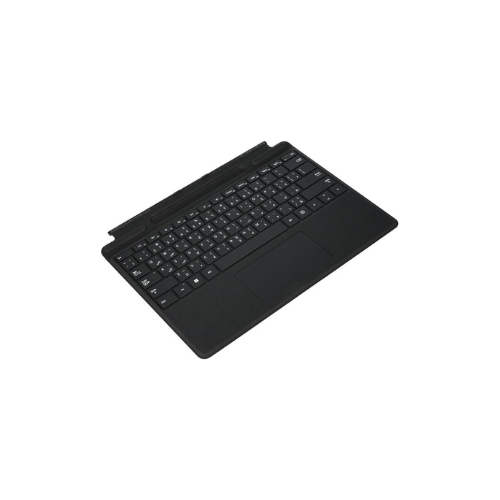
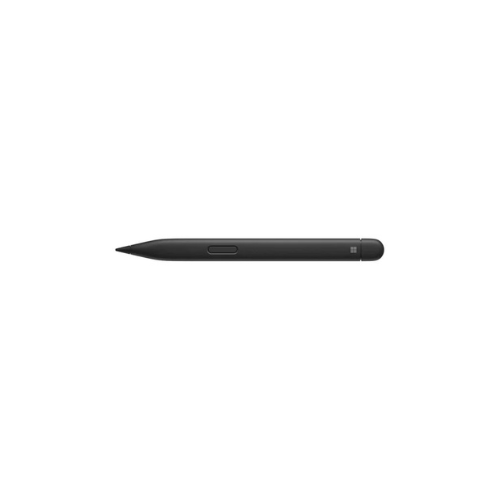

Microsoft Surface Pro keyboard 8/9/X/XI with pen,Backlit,Black-8X6-00182
Key Features
Brand: Microsoft
Model: 8X6-00182
Product Type: Premium detachable Surface Pro keyboard with Slim Pen bundle
Design: Slim full-size keyboard with integrated pen storage and backlit keys
Connectivity and Compatibility: Magnetic Surface Connect interface, compatible with Surface Pro 8, Surface Pro 9, Surface Pro X, and newer supported Surface Pro models
Backlighting: Yes, adjustable backlit keys
Touchpad: Precision multi-gesture glass touchpad
Pen: Includes Surface Slim Pen (bundle version)
Color: Black
Ideal For: Productivity, note-taking, drawing, office work, and laptop conversion mode
1 Year Warranty
Microsoft Surface Pro Keyboard (8X6-00182)
The Microsoft Surface Pro Keyboard with Slim Pen (Model 8X6-00182) is a premium, multi-generation accessory designed for professionals, students, and creators who need a high-performance laptop experience. Wrapped in luxurious, stain-resistant Alcantara® fabric , this matte black keyboard bundle instantly converts your Surface Pro tablet into a powerful workstation.
Seamless Multi-Generation Compatibility
This keyboard is engineered to fit 13-inch Surface Pro devices perfectly using a secure magnetic snap-on connection. It is fully compatible across five generations of hardware:
- Surface Pro 11th Edition (XI)
- Surface Pro 10 for Business
- Surface Pro 9
- Surface Pro 8
- Surface Pro X
Integrated Creativity with Slim Pen 2
The 8X6-00182 bundle includes the Surface Slim Pen 2 , which provides a natural “pen-on-paper” feel through its built-in haptic motor and 4,096 levels of pressure sensitivity
- Smart Storage & Charging: The pen stores securely in a hidden tray at the keyboard’s magnetic fold, where it recharges wirelessly via induction so it is always ready for note-taking or sketching.
- Zero-Force Inking: Experience digital precision with instant flow the moment the pen touches the screen
Precision Engineering for Productivity
- Full Mechanical Keyset: Features optimized key spacing and travel for fast, fluid, and natural typing.
- Adjustable Backlighting: Mechanical keys include adjustable LED backlighting, ensuring high visibility in low-light environments like late-night offices or dim lecture halls.
- Precision Glass Touchpad: A large glass trackpad supports multi-touch gestures and fluid scrolling for precise navigation.
- Dedicated Productivity Keys: Includes a dedicated Copilot key for instant AI-powered assistance, along with keys for microphone mute, the Windows snipping tool, and media controls.
Technical Specifications
| Feature | Details |
|---|---|
| Model Number | 8X6-00182 (Matte Black) |
| Weight | 294g (with pen included) |
| Material | Alcantara® fabric on palm rest and back |
| Connectivity | Magnetic Surface Connect interface |
| Sensors | Built-in Accelerometer |
| Pen Battery | Up to 15 hours of typical usage per charge |
Frequently Asked Questions
- Does this keyboard include the pen?
Yes, this specific model (8X6-00182) is a bundle that includes both the Signature Keyboard and the Surface Slim Pen 2 - Is it compatible with older Surface models like the Pro 7?
No, this keyboard is only designed for 13-inch models (Pro 8, 9, 10, 11th Ed, and X).
Ensure the pen is properly aligned with the charging contacts in the tray. You can reset the pen by holding the top button for 7 seconds until the LED flashes white. - Can it be used while detached?
No, this model requires a physical magnetic connection to the Surface device for power and data transmission.