Brother Printers
 WhiteBoard
 IP PBXs





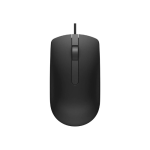
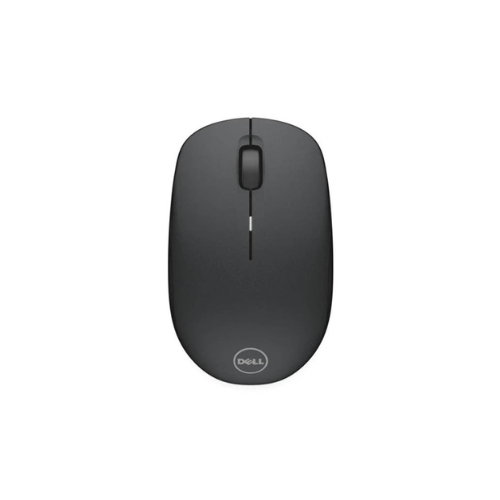

Dell WM126 Wireless Mouse
Key Features
Brand: Dell
Wireless Freedom – 2.4GHz wireless connection for smooth and reliable performance
Ergonomic Design – comfortable grip for long hours of use
Plug & Play USB Receiver – easy setup without extra drivers
Compact & Portable – lightweight design ideal for laptops and on-the-go use
Optical Tracking – precise cursor control on most surfaces
Long Battery Life – efficient power usage for extended usage
Compatible with Windows & Mac – versatile for multiple devices
1 Year Warranty
Ultimate Guide to the Dell WM126 Wireless Optical Mouse
The Dell WM126 Wireless Optical Mouse is a commercial-grade, highly efficient desktop accessory engineered to streamline daily computing tasks and office workflows . Featuring a precise optical tracking sensor and an ergonomic contoured layout, this classic peripheral delivers dependable cable-free navigation, low-maintenance power consumption, and long-term durability for corporate workstations, remote home offices, and business travel.
Why Choose the Dell WM126 Wireless Mouse?
Modern workspace optimization requires clutter-free environments that enhance physical movement and productivity. Standard wired alternatives introduce messy cable tangles across desks and restrict natural hand mobility during critical tasks. The Dell WM126 addresses these everyday workspace challenges by providing a highly reliable wireless connection that eliminates desk clutter completely.
By utilizing a compact USB nano receiver, this wireless mouse establishes an instant, interference-free connection with zero latency. The lightweight, symmetrical body fits comfortably into either hand, reducing wrist fatigue during intensive spreadsheet management, presentation editing, or web navigation. Investing in this standardized hardware simplifies office setup deployment, lowers administrative overhead, and maximizes daily workspace efficiency.
Technical Specifications and Performance Features
Reliable Wireless Connection
The hardware operates over a robust 2.4GHz wireless transmission frequency. This ensures a stable, responsive data pipeline between the mouse and the computer from a distance of up to 10 meters. The tiny nano receiver plugs directly into a standard USB port and can remain safely inside your laptop without risking physical damage during transit.
Accurate Optical Tracking Sensor
The unit features an advanced internal optical LED tracking sensor that reads surface movements with great accuracy. Operating at a standard 1000 DPI sensitivity resolution, the cursor glides smoothly across high-definition computer monitors. This ensures precise navigation whether you are clicking on tight software buttons or selecting delicate document layouts
Practical Engineering and Layout
- Three Button Configuration: Designed with a tactile left-click button, a robust right-click button, and a centralized physical scroll wheel.
- Responsive Navigation: The integrated scroll wheel handles vertical page scrolling smoothly, acting as a convenient third button when pressed down.
- Integrated Storage Chamber: The underside housing contains a dedicated interior slot to store the USB nano receiver safely when the mouse is packed away for travel.
Strategic Enterprise and Workplace Benefits
- Extended Battery Longevity : Engineered with a highly efficient power management system that provides up to 1 year of reliable battery life from a single AA cell.
- Ambidextrous Contour : The symmetrical structural design offers a comfortable, natural grip for both left-handed and right-handed professionals alike
- Instant Configuration : Features true plug-and-play architecture, functioning immediately without requiring proprietary software installations or background driver updates
- Mass Deployment Ready : A compact, durable profile makes this wireless accessory highly cost-effective for large corporate office refreshes and modern hot-desking setups.
Frequently Asked Questions
Does the Dell WM126 wireless mouse require special software?
No, the accessory features native plug-and-play architecture. It operates instantly upon plugging the USB nano receiver into your computer, using standard built-in operating system input drivers
How do I maximize the battery life on the Dell WM126?
The mouse includes a dedicated physical on/off slide switch on the bottom panel. Turning the device off when leaving your desk or packing it into a travel bag will drastically extend the lifespan of the AA battery.
Is this wireless mouse compatible with Apple Mac hardware?
Yes, the hardware operates over industry-standard 2.4GHz USB protocols. It functions seamlessly when connected to Apple macOS computers, Microsoft Windows platforms, Google ChromeOS devices, and Linux distributions.
Can multiple Dell WM126 mice operate in the same crowded office?
Yes, each mouse and its included USB nano receiver are factory-paired to a unique wireless channel ID, preventing cross-device interference even when dozens of units are running next to each other in close proximity