Brother Printers
 WhiteBoard
 IP PBXs





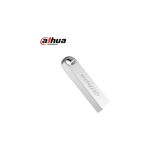
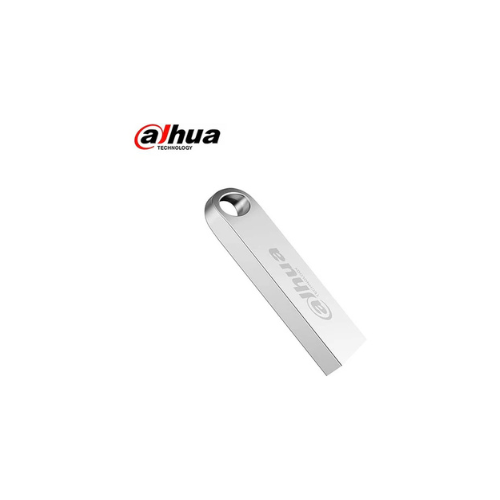

Dahua 16GB USB3.0 flash drive
Key Features
Brand: Dahua
Capacity: 16GB
Interface: USB 3.0
File system: FAT32
Exquisite appearance
High-speed Read 40–70 MB/s and Write 9–25 MB/s
Meeting Diverse Needs: Transfer and back up texts, images, music, videos and other data on computers and digital products
Compatible with Multiple Operating Systems
Compatible with Windows, macOS, Linux, and other operating systems.
1 Year Warranty
Dahua 16GB USB 3.0 Flash Drive: Ultimate High-Speed Professional Guide
The Dahua 16GB USB 3.0 Flash Drive is a powerhouse in the professional data migration, essential file transport, and portable deployment market. This high-efficiency thumb drive eliminates the sluggish transmission boundaries of legacy USB 2.0 tech , delivering crisp, clean data indexing speeds for modern laptops, desktop workstations, and corporate printing terminals. It serves as a reliable, heavy-duty solution designed to streamline operating system installation media, secure document transport, and quick file backups for users of all sizes. By utilizing advanced NAND flash memory engineering wrapped in a durable, compact chassis, this flexible machine helps users boost daily processing productivity, slash data-ingestion waiting times, and maintain a highly mobile workflow.
Office administrators, field engineers, and students rely on this hardware to optimize file transport without being anchored to cloud dependencies or local local network connections. Its robust build quality ensures it handles rigorous daily pocket wear smoothly, maintaining complete data security where fragile cloud links fail. Mobile workers looking to scale their physical data migration infrastructure find this sleek peripheral to be an indispensable asset for daily computing production.
This comprehensive guide covers everything you need to optimize this compact USB storage device for your workflow.
Key Technical Specifications
Understanding your hardware capabilities helps you maximize your storage investment. The drive balances standard USB 3.0 data throughput with an exceptionally small physical footprint.
- Form Factor : Ultra-compact pocket-sized thumb drive with a durable structural casing design
- Bus Interface : High-speed USB 3.0 (USB 3.2 Gen 1) protocol backwards compatible with legacy USB 2.0 ports
- Storage Capacity : 16GB volume optimized for documents, operating system boot images, and essential code bases
- Read Performance : Fast sequential read velocities matching standard entry-level enterprise flash metrics
- Write Performance : Reliable sequential write mechanics processing daily documentation workflows promptly
- System Cross-Compatibility : Fully compatible out-of-the-box with Windows, macOS, Linux, and Android systems via matching host ports
- Device Portability : Engineered with a built-in lanyard hook path to prevent loss during active field travel
Top Features and Business Benefits
Blazing-Fast USB 3.0 Throughput
The advanced internal controller technology means you never experience the agonizing processing lag common with old USB 2.0 flash drives. It reads spreadsheets, copies presentations, and runs software utilities at high velocities, keeping your business or design pipeline moving without delay.
Compact and Durable Industrial Casing
The built-in structural framework is engineered to survive the rough drops, compression weight, and physical friction associated with daily travel. It provides a rock-solid build that protects the internal NAND flash cells from physical destruction, ensuring long-term data safety.
Universal Plug-and-Play Integration
Integrate the machine seamlessly into any home or business workstation environment. The flash drive utilizes universal storage architecture embedded directly inside modern operating systems, requiring zero manual downloads or software installations to run at peak capacity.
Integrated Lanyard Loop Attachment Point
Using a specific structural chassis loop layout, you can anchor your flash drive directly to keychains, ID badge straps, or equipment cases. This is ideal for highlighting critical field mobility, keeping your personal credentials close at hand, and reducing hardware loss risks.
Simple Step-by-Step Setup Guide
Follow these steps to get your portable USB flash drive operating quickly.
Step 1: Unpack and Verify the Host Port Interface
Remove all protective packaging wraps from the retail card box. Locate an open, blue-colored USB Type-A port on your computer to ensure you capture full USB 3.0 transmission capabilities.
Step 2: Establish the Physical Hardware Link
Insert the metal connector tip of the Dahua flash drive directly into your laptop or desktop terminal slot. Ensure it seats deeply and evenly to guarantee a clean electrical connection line.
Step 3: Complete Partition Recognition Check
Open your operating system’s native file explorer panel dashboard. The system board will auto-mount the 16GB storage space within seconds, listing it as a freshly recognized, ready-to-use external drive volume.