Brother Printers
 WhiteBoard
 IP PBXs





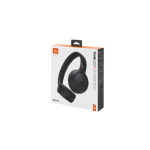
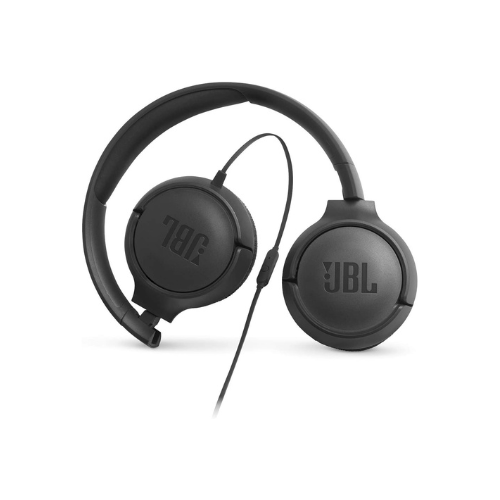
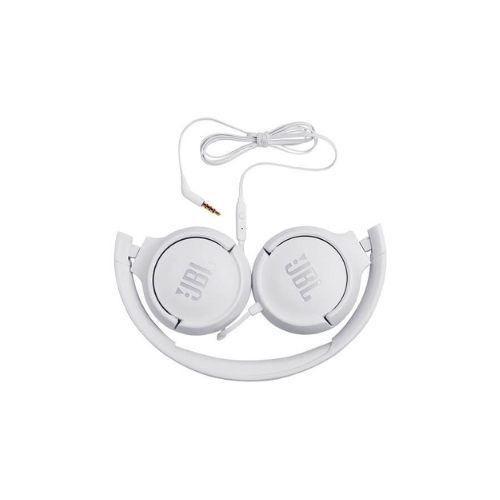

JBL TUNE 500 Wired Headphones
Key Features
Brand: JBL
Ear cushion material PU leather
Headphone cable length (cm)118.7
Headphone cable length (ft)3.89
Headphones jack type3.5 mm
Driver size (mm)32.0
1 Year Warranty
JBL Tune 500 Wired On-Ear Headphones: Ultimate High-Speed Professional Guide
The JBL Tune 500 Wired On-Ear Headphones are a powerhouse in the professional essential audio, remote workspace communication, and casual multimedia tracking market . This high-efficiency headset eliminates wireless connectivity delays and charging constraints while delivering crisp, clean sound for virtual conference calls, daily indexing, and acoustic monitoring. It serves as a reliable, heavy-duty solution designed to streamline digital communication data, desktop audio pipelines, and mobile voice monitoring for organizations of all sizes. By utilizing advanced signature driver engineering, this flexible machine helps users boost daily productivity, reduce technical downtime, and maintain a highly organized workflow. Modern professionals rely on this hardware to eliminate audio transmission bottlenecks and automate call clarity isolation tasks. Its robust build quality ensures it handles high-volume playback cycles without cracking or experiencing performance drops. Commuters and office operators looking to scale their digital workstation infrastructure find this device to be an indispensable asset for daily computing production.
This comprehensive guide covers everything you need to optimize this device for your business workflow.
Key Technical Specifications
Understanding the hardware capabilities helps you maximize your investment. The device balances zero-latency analog mechanics with an ultra-lightweight frame configuration.
- Acoustic Driver Set : 32mm dynamic drivers processing a broad frequency response spectrum
- Sound Architecture : Integrated JBL Pure Bass performance technology for deep low-end delivery
- Input Interface : Universal 3.5mm analog audio jack plug with an angled configuration
- Cable Architecture : Flat tangle-free ribbon cable designed for rapid deployment
- Microphone Profile : Inline one-button remote controller housing a directional microphone capsule
- Form Factor : Lightweight foldable plastic chassis with soft ear cushions and a padded headband
Top Features and Business Benefits
Renowned JBL Pure Bass Sound
The advanced 32mm driver technology means you never experience the thin, muddy audio distortion common with unbranded budget headphones. It translates analog audio signals and processes bass frequencies at lightning speeds, keeping your editing or multimedia presentation pipeline moving without delays.
Zero-Latency Plug-and-Play Integration
The direct analog connection means you never buy batteries or manage complex Bluetooth pairing dropouts. It hooks instantly into host laptops or mobile phone ports, ensuring absolute real-time voice and sound tracking without processing lag during critical video meetings
Convenient Tangle-Free Flat Cable
The built-in flat ribbon cable allows you to unpack and store the headset instantly without knotting the wire. You can maximize your daily transport efficiency comfortably without being tethered to messy cable management tasks or slowing down your mobile workflow.
Inline Single-Button Command Module
Using specific hardware switch engineering, the inline module lets you control media and call loops with a single press. This is ideal for highlighting critical focus, switching from music to a client call instantly, and activating your smartphone voice assistant utility on the fly.
Simple Step-by-Step Setup Guide
Follow these steps to get your professional wired headphones running quickly.
Step 1: Unpack and Deploy the Ear Cups
Remove all protective packaging wraps and cardboard ties from the box. Unfold the rotating ear cups downward from their compact travel configuration until the frame locks into position.
Step 2: Adjust Headband Slide Rails
Gently expand the adjustable headband tracks symmetrically on both sides to match your physical head shape profile comfortably before resting the cushions against your ears.
Step 3: Connect the Analog Interface
Insert the 3.5mm analog audio connector pin directly into the headphone or auxiliary input jack slot on your desktop computer, workstation laptop, or mobile terminal device.
Step 4: Configure Operating System Settings
Open your computer device sound management panel. Designate the newly attached hardware as your primary default audio playback and microphone capture source to complete the device recognition process.