Power Banks


 Brother Printers


 IP PBXs



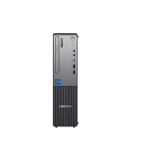
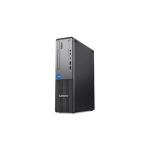
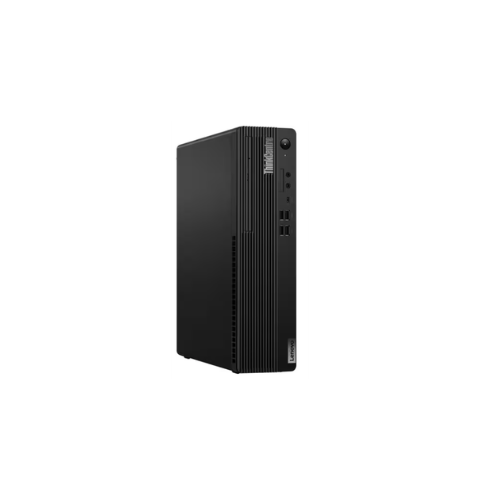

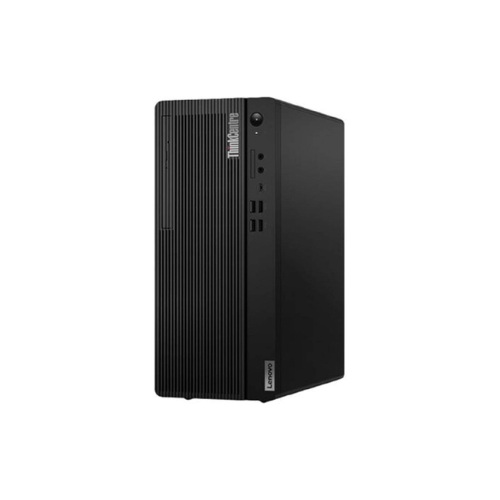
Lenovo ThinkCentre M70s Gen 5 SFF Intel Core i7 13700 8GB DDR5 5600 Up to 64GB Support 512GB SSD M.2 2280 PCIe 4.0×4 NVMe Opal 2.0 No OS No ODD – 12U80080UM
Key Features
Brand: Lenovo
Intel Core i7‑13700 processor for high-performance computing
8GB DDR5‑5600 RAM (expandable up to 64GB)
512GB PCIe 4.0×4 NVMe SSD for fast storage and boot times
Intel vPro Enterprise for enhanced security and manageability
Intel Wi‑Fi 6E & Bluetooth 5.3 for reliable wireless connectivity
Compact SFF design saves desk space
Front & rear USB-C / USB-A, HDMI 2.1, DisplayPort 1.4a, Ethernet ports
1W integrated speakers for basic audio needs
USB Traditional Keyboard & Calliope Mouse included
1 Year Warranty
Lenovo ThinkCentre M70s Gen 5 12U80080UM Review: A Professional High-Scalability SFF Workstation
The Lenovo ThinkCentre M70s Gen 5 Small Form Factor (SFF) model 12U80080UM delivers an exceptional balance of raw processing power, hardware longevity, and enterprise-grade scalability. Equipped with an elite desktop-class Intel Core i7 processor, high-frequency DDR5 memory architecture, and an expandable storage layout, this compact desktop handles heavy data analysis, spreadsheet management, and multitasking workloads efficiently.
What makes this specific configuration a powerful computing asset is its compact, space-saving chassis design paired with future-proof hardware slots. It integrates a flagship-tier enterprise processor into a slim desktop frame with modular expansion lanes designed to prevent hardware obsolescence. This structural flexibility means the system can grow to meet expanding data processing requirements, converting a standard office desktop into a high-capacity enterprise data workstation.
This review evaluates the hardware profile for managing demanding professional tasks, local databases, and enterprise software configurations.
Key Hardware Specifications of the Lenovo ThinkCentre M70s Gen 5
-
- Processor: Intel Core i7 13700 13th Generation, up to 5.20 GHz, 16 Cores, 24 Threads
- Memory: 8GB DDR5 5600MHz RAM upgradeable up to 64GB total via modular slots
- Storage: 512GB SSD M.2 2280 PCIe 4.0×4 NVMe Opal 2.0
- Operating System: No OS Allows for clean, custom operating system installation
- Optical Drive: No ODD Minimizes moving parts and optimizes internal airflow
- Model Number: 12U80080UM
Hardware Analysis for Advanced Professional Workflows
Complex data tracking and enterprise resource management require desktop-class hardware capabilities to prevent performance slowdowns during multi-tab operations and large data queries.
Desktop Processing Efficiency
The Intel Core i7 13700 processor utilizes a desktop-class hybrid architecture featuring 8 Performance cores and 8 Efficient cores. Operating with higher power limits and thermal headroom than laptop processors, this desktop chip sustains peak processing speeds during long computing cycles. The performance cores handle resource-heavy operations like executing technical system calculations or running local database environments, while the efficient cores manage background tasks to preserve system responsiveness.
Expandable Memory Capacity
Model 12U80080UM includes 8GB of high-frequency DDR5 5600MHz RAM. The motherboard architecture supports a maximum 64GB capacity upgrade across modular slots. This high memory ceiling allows users to scale up system resources, running multiple local servers, data analytics suites, and complex software tools concurrently without interface lag.
PCIe 4.0 NVMe Storage
The 512GB M.2 2280 solid-state drive operates on the high-speed PCIe 4.0×4 NVMe standard. This standard-size hardware interface ensures fast read and write speeds alongside easy drive replacement options. It accelerates desktop boot times, large file transfers for system backups, and database loading speeds during offline testing.
Small Form Factor Workspace Optimization
The small form factor configuration takes up minimal desk space while providing better passive and active cooling than ultra-compact mini PCs. The absence of an optical drive optimizes internal airflow paths, keeping internal components performing at peak levels under load while maintaining space for secondary drive additions.
Optimizing the Environment for Peak Performance
Shipping with No OS allows technical users to deploy a clean software environment free of pre-installed factory bloatware or background trial applications.
Clean Operating System Deployment
Installing a clean copy of Windows 11 Pro or a preferred Linux distribution ensures that 100 percent of system resources are allocated to production work. The absence of manufacturer telemetry scripts and background security software increases overall processing efficiency.
Browser Optimization for Web Applications
Modern web applications use heavy JavaScript to process real-time analytics reporting within administrative interfaces. For optimal performance:
-
- Use Chromium Engines: Google Chrome, Brave, or Microsoft Edge offer the best compatibility with modern web applications.
- Enable Hardware Acceleration: Activating this setting allows the integrated Intel UHD graphics platform to render complex visual data charts smoothly.
- Activate Tab Discarding: Utilize native browser memory management features to hibernate inactive tabs and conserve system RAM.
Local Server Environment Configuration
When using local development stacks to test software configurations, this hardware platform serves as an ideal host. Upgrading the system RAM past the base 8GB allows users to allocate significant memory directly to local development environments to execute database queries quickly.